
StableNet® 26 Annual Release – Overview of selected new features

New Modules


StableNet® Innovation Lab
1. New Modules
Integrated Kafka Support
Kafka is a powerful event streaming platform providing reliable, durable data transport between publishers and subscribers. With StableNet® 26, integrated Apache Kafka support is now available, enabling seamless connectivity to cluster, cloud and high-availability Kafka environments. This includes support for generic telemetry data import via Kafka as well as Alarm and KPI data export.
The integration of Kafka adds another powerful interface and an additional, highly scalable channel for moving data into and out of StableNet®, increasing flexibility, integration options and data flow efficiency.

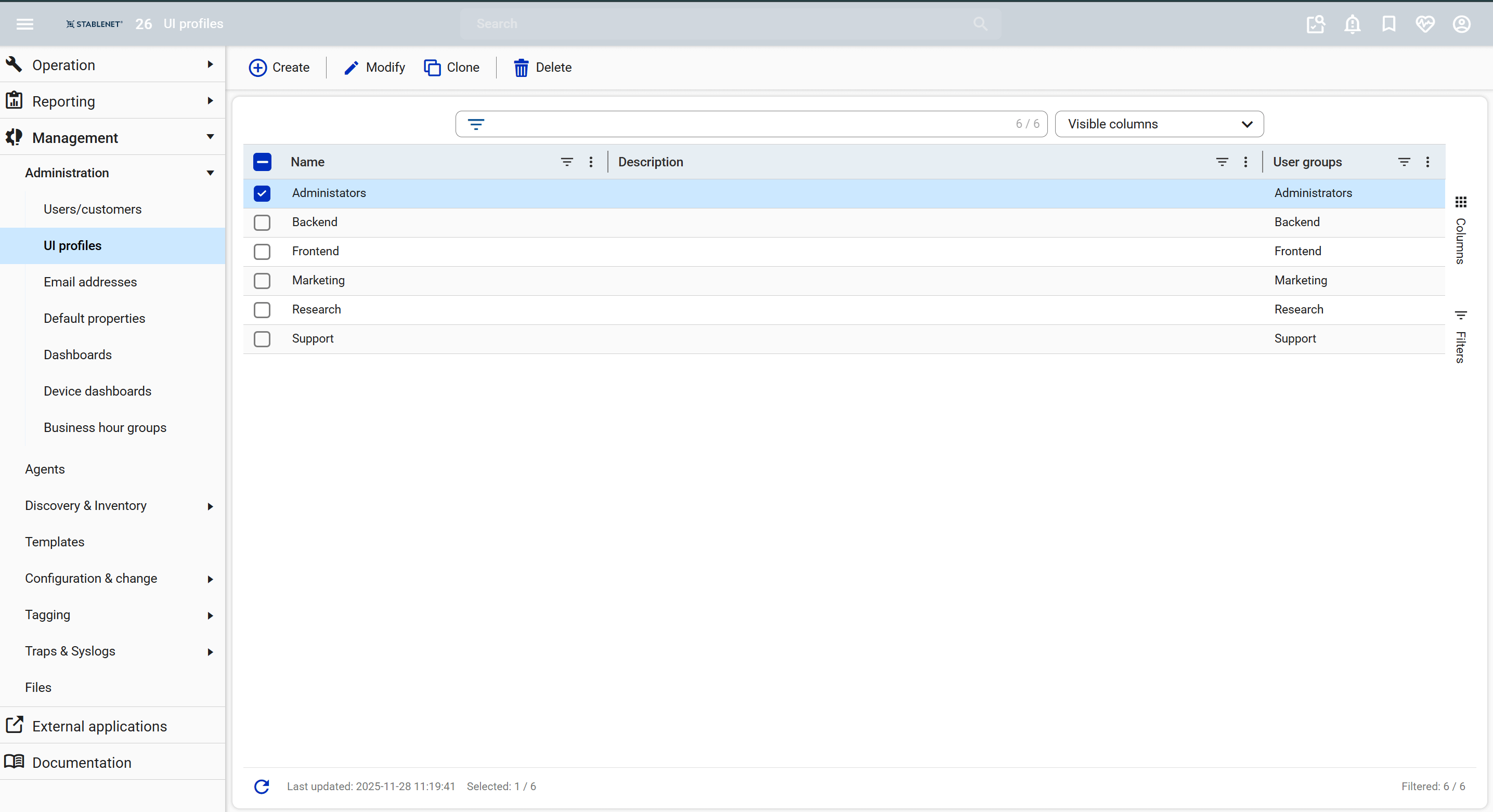
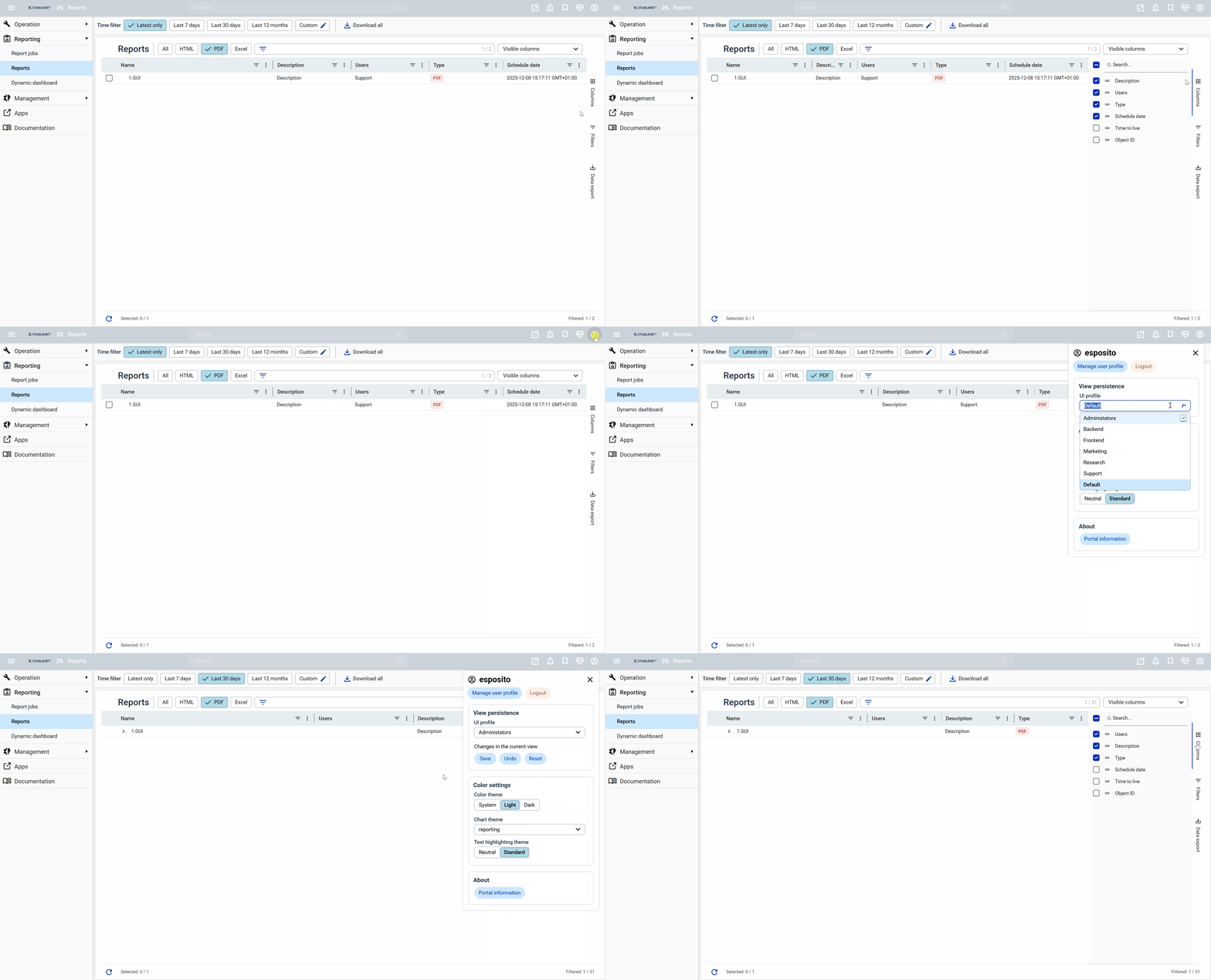
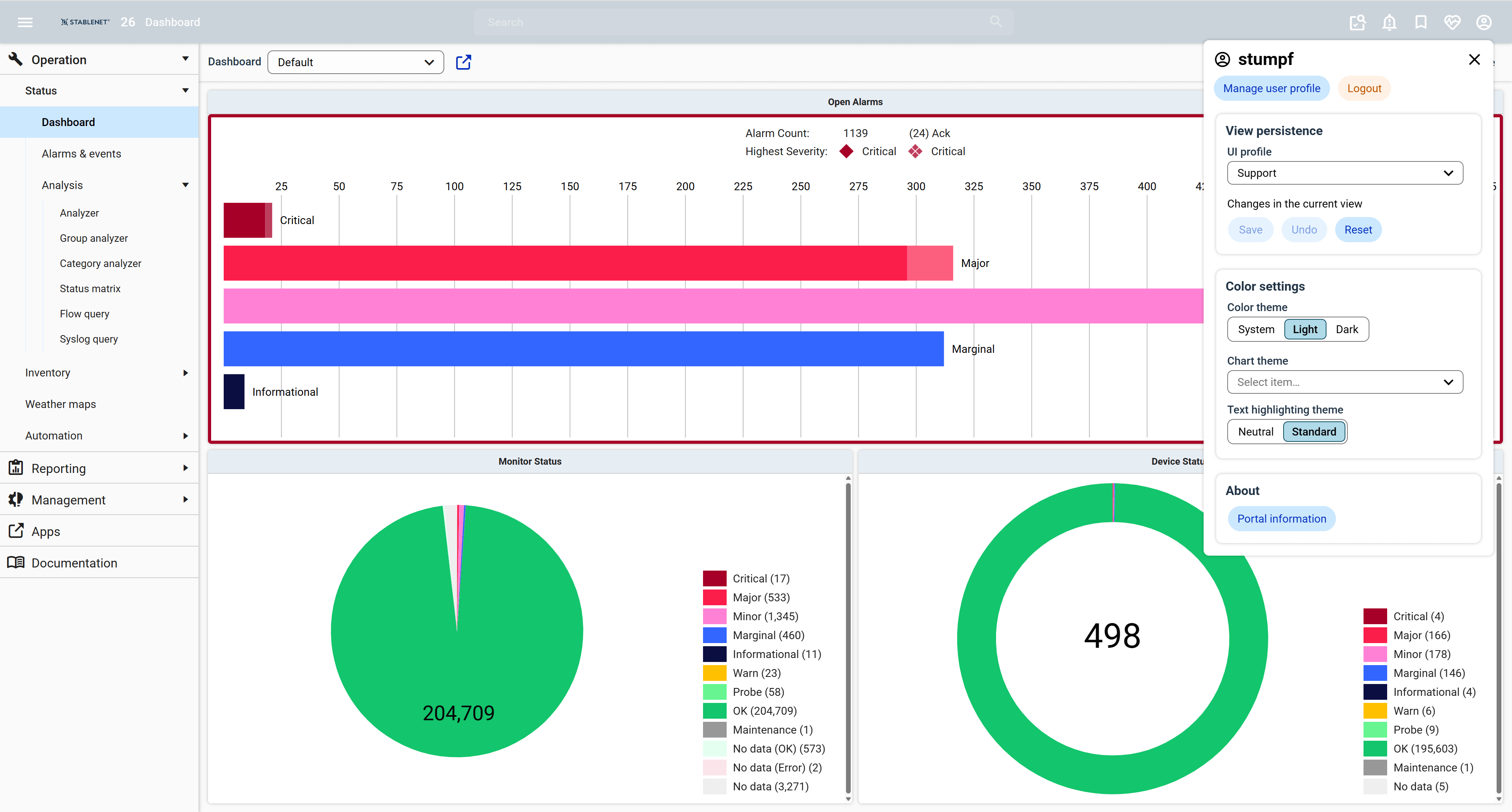
UI Profiles
UI Profiles in StableNet® enable personalized and consistent work environments by saving views, layouts, table selections and other interface settings. These profiles can be shared between users, including access rights.
For example, administrators can predefine optimized views for their teams, displaying only relevant information, simplifying workflows, reducing complexity and improving overall efficiency.
Customizable Device Dashboard &
Quick Search Improvements
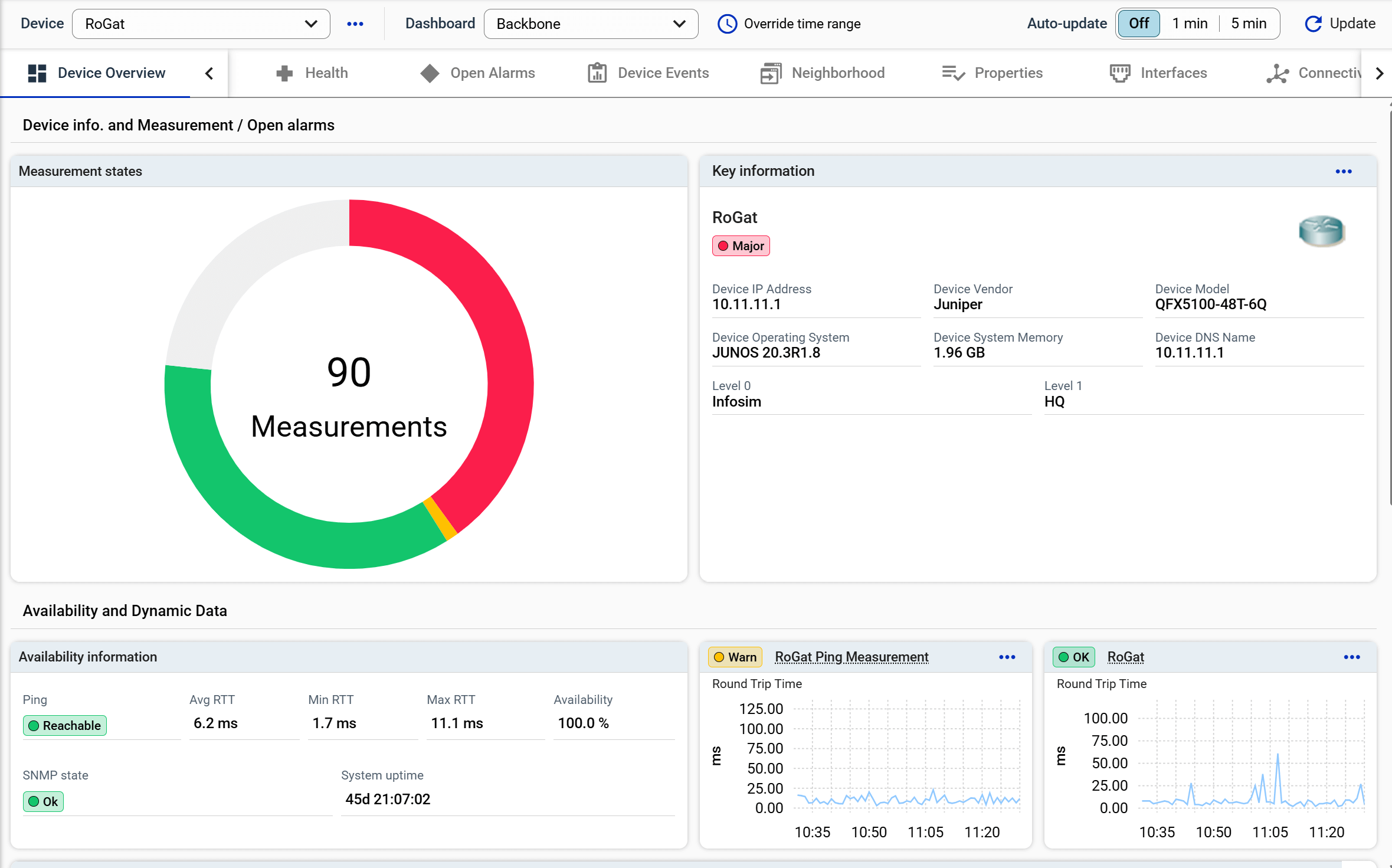
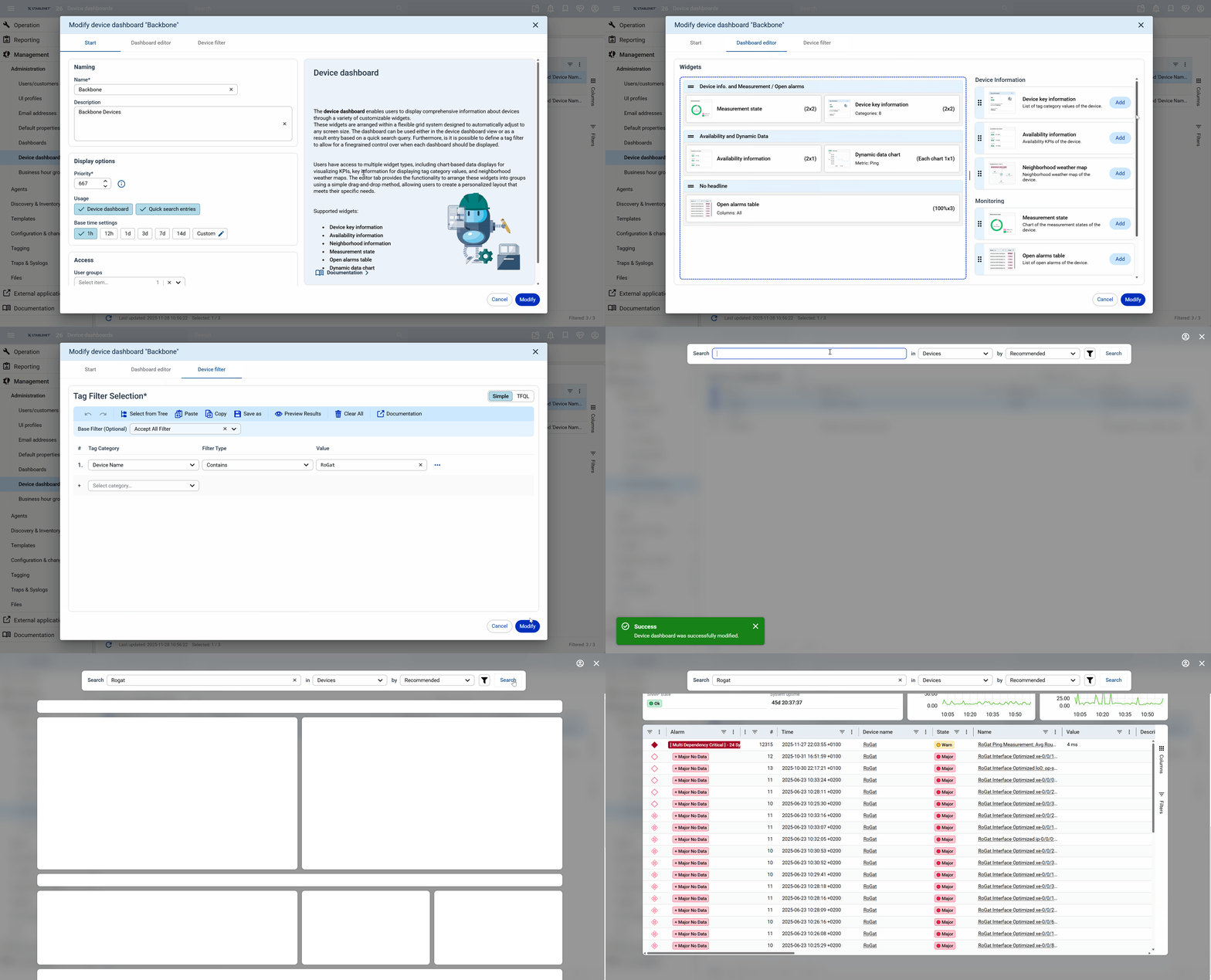
StableNet® now introduces Customizable Device Dashboards, replacing static views with flexible, filter-based layouts per device type.
Using a graphical editor, dashboards can be individually designed, enriched with new and improved widgets, and saved as reusable templates. This allows irrelevant measurements to be hidden and only essential data to be displayed.
These customizations also enhance the Quick Search experience. This improved functionality leads to faster navigation and more efficient access to relevant information, helping users reach their results quicker and work more effectively.
Telemetry Template Editor
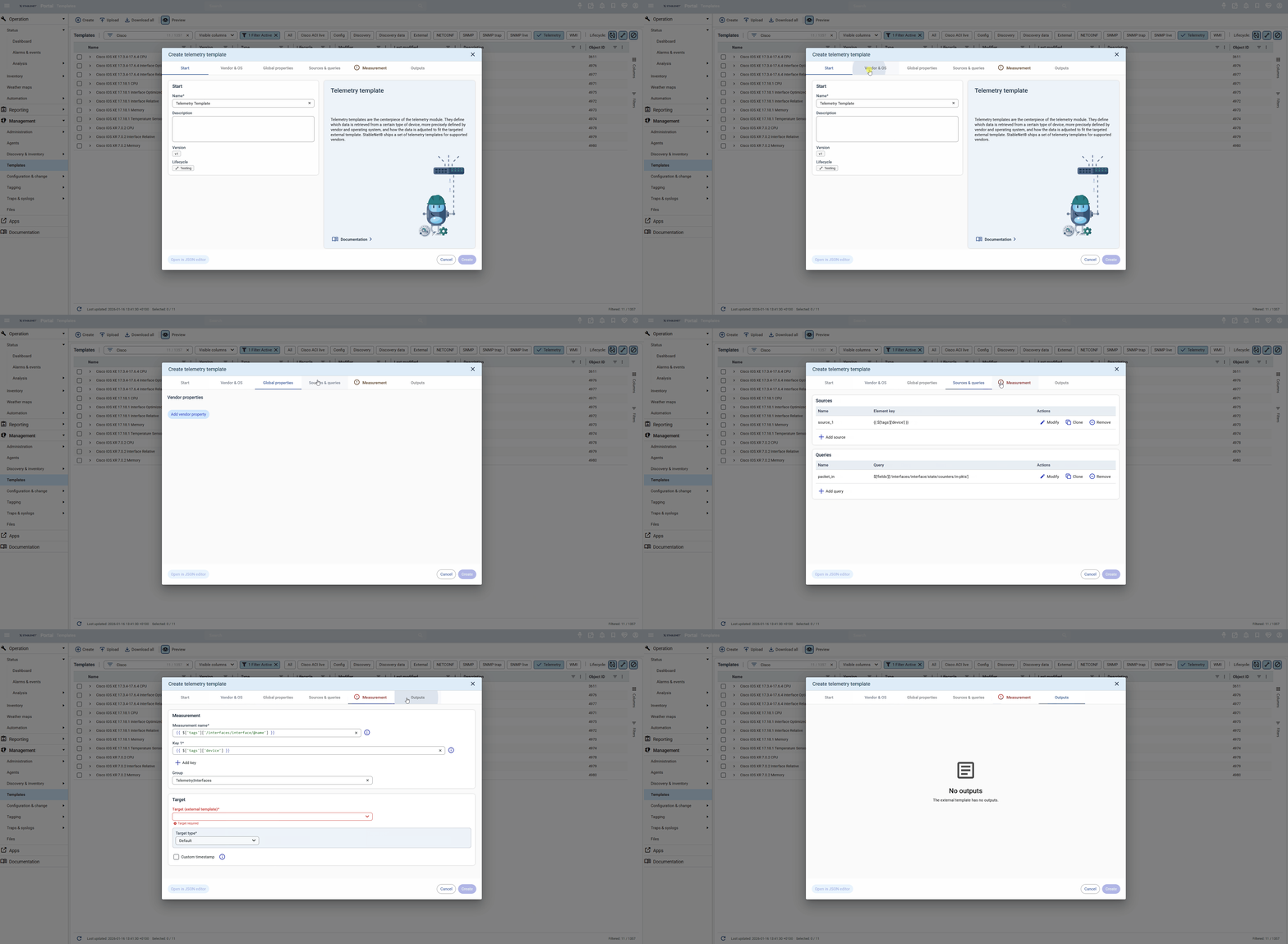
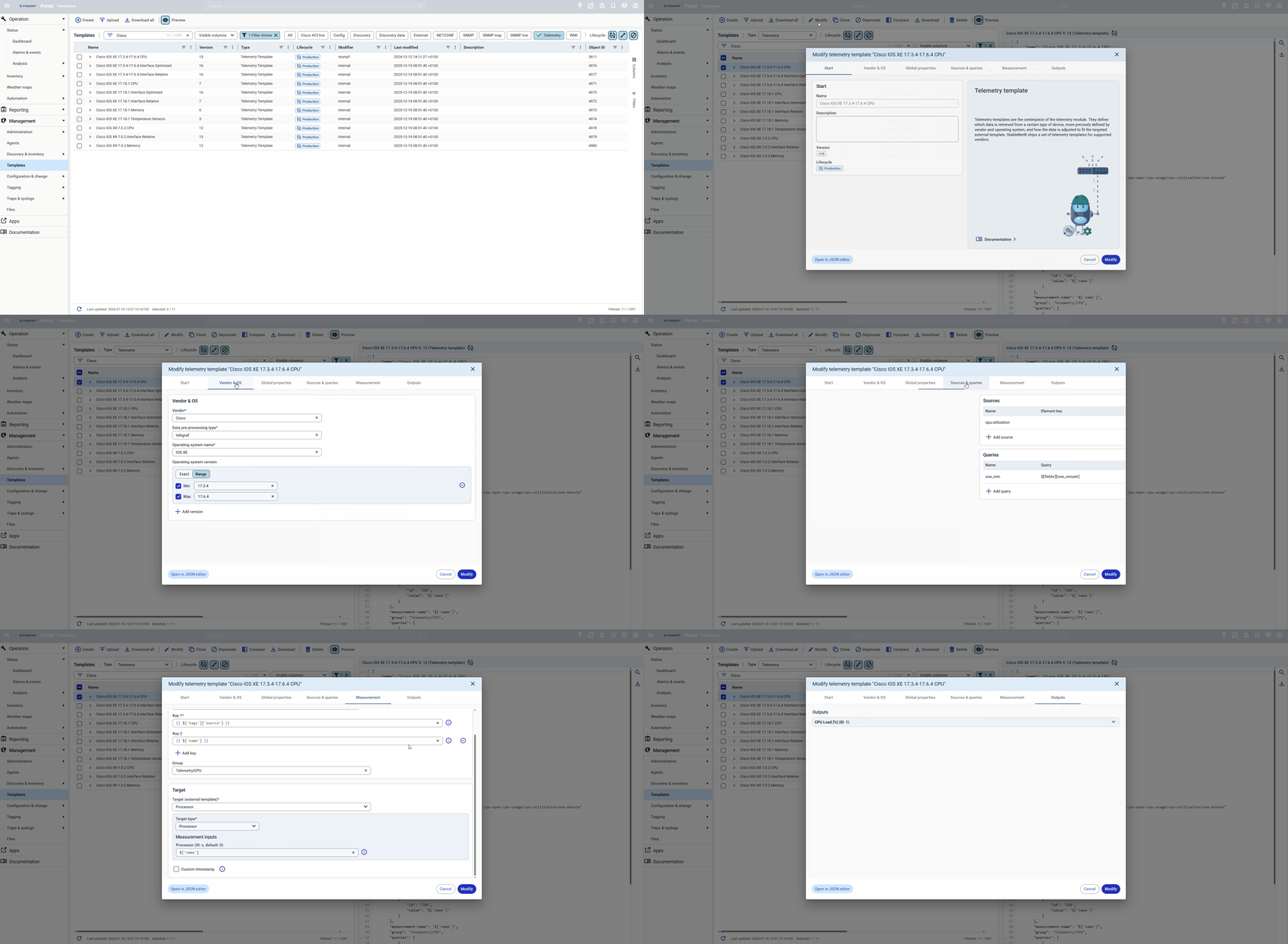
The new Telemetry Template Editor provides an additional, more user-friendly way to create telemetry templates through a visual wizard interface.
Users can easily click through the configuration steps instead of manually writing JSON, while still retaining full access to the traditional JSON-based approach if needed.
NETCONF Browser with Yang Models
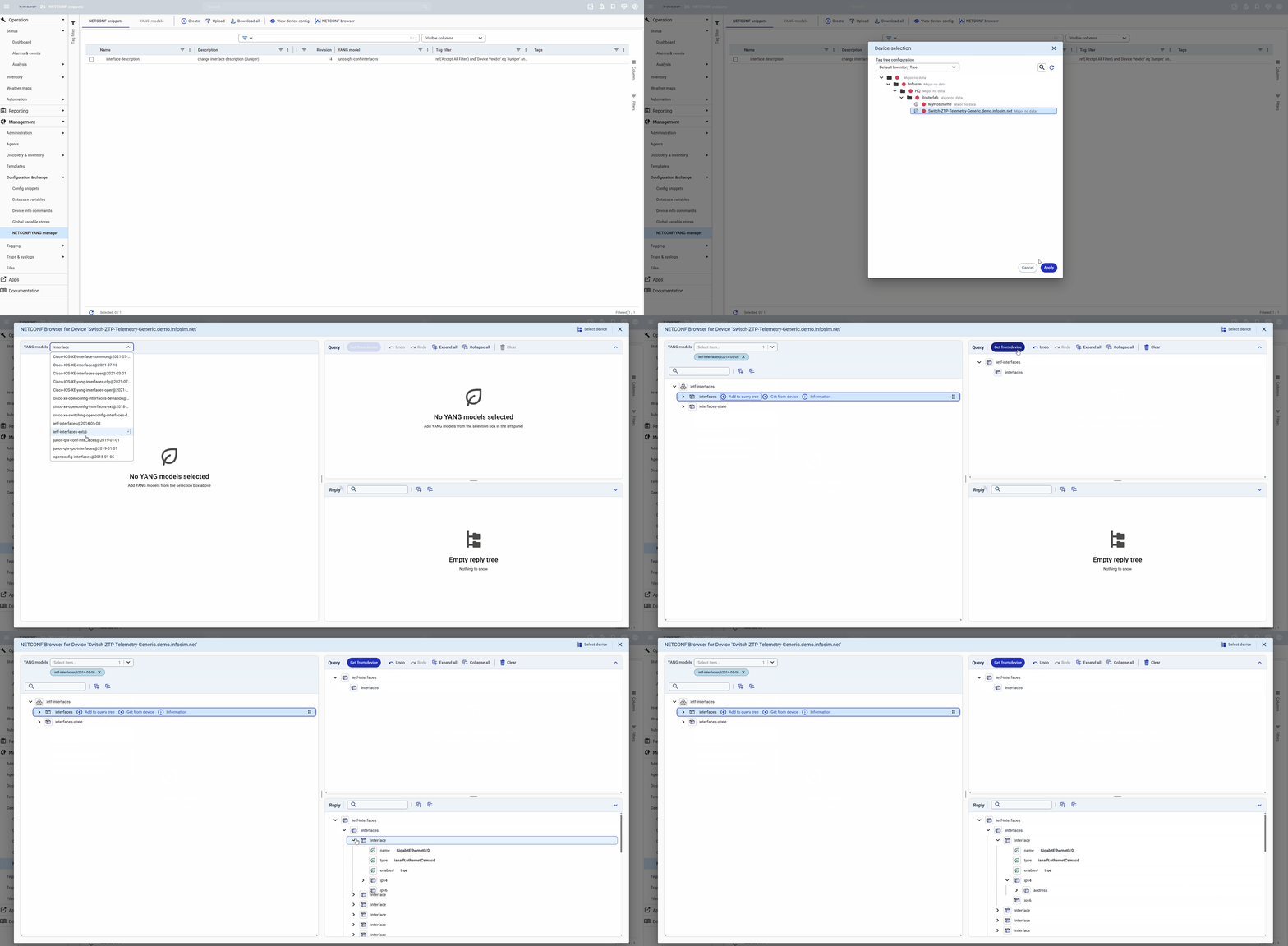
StableNet® introduces an interactive NETCONF Browser, allowing on-demand queries to NETCONF devices with a clear Yang model view. Information is displayed in a structured, tree-like format – similar to a MIB Browser – making it easy to navigate device data.
Distribution Server (Config Job Sync)
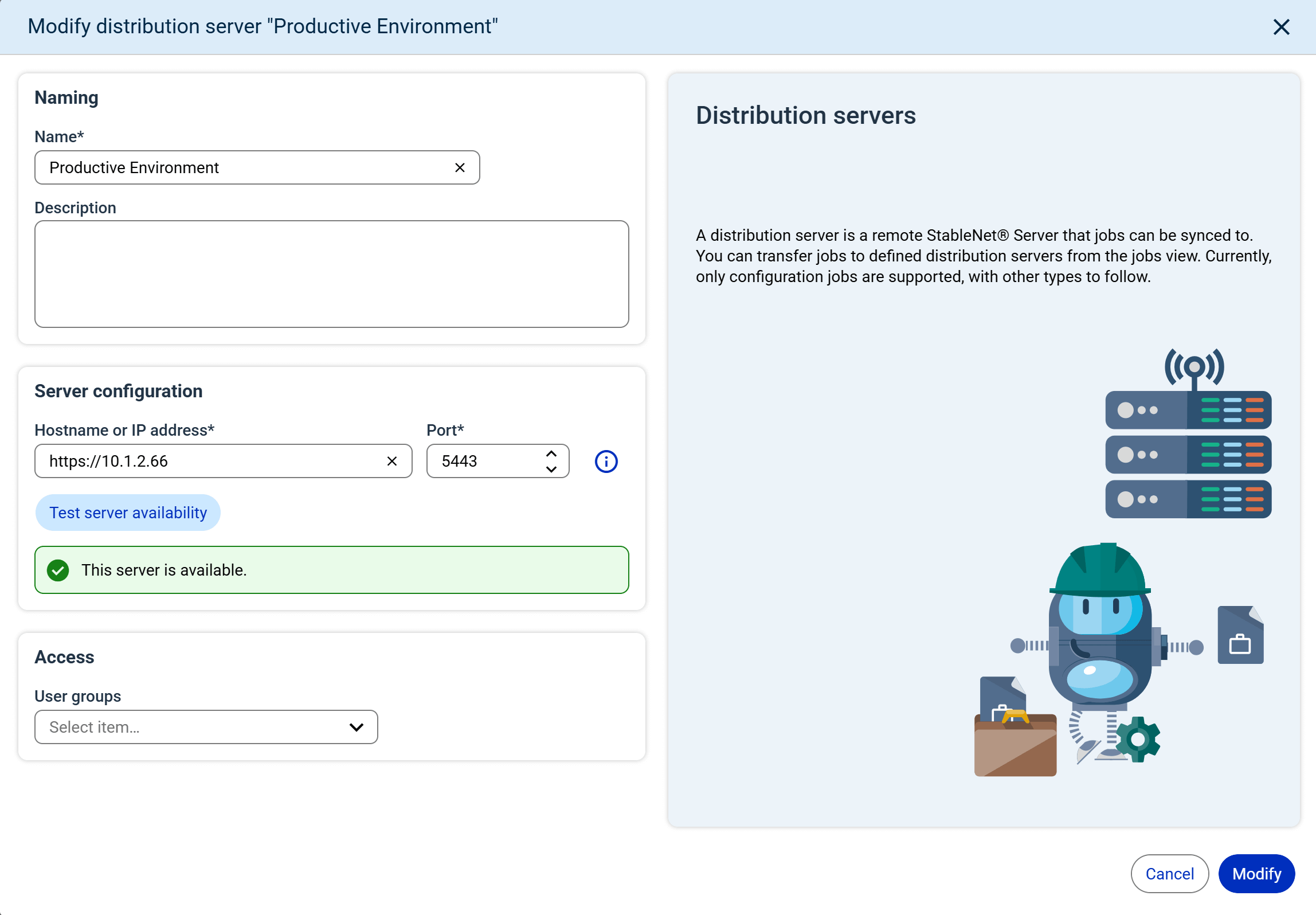
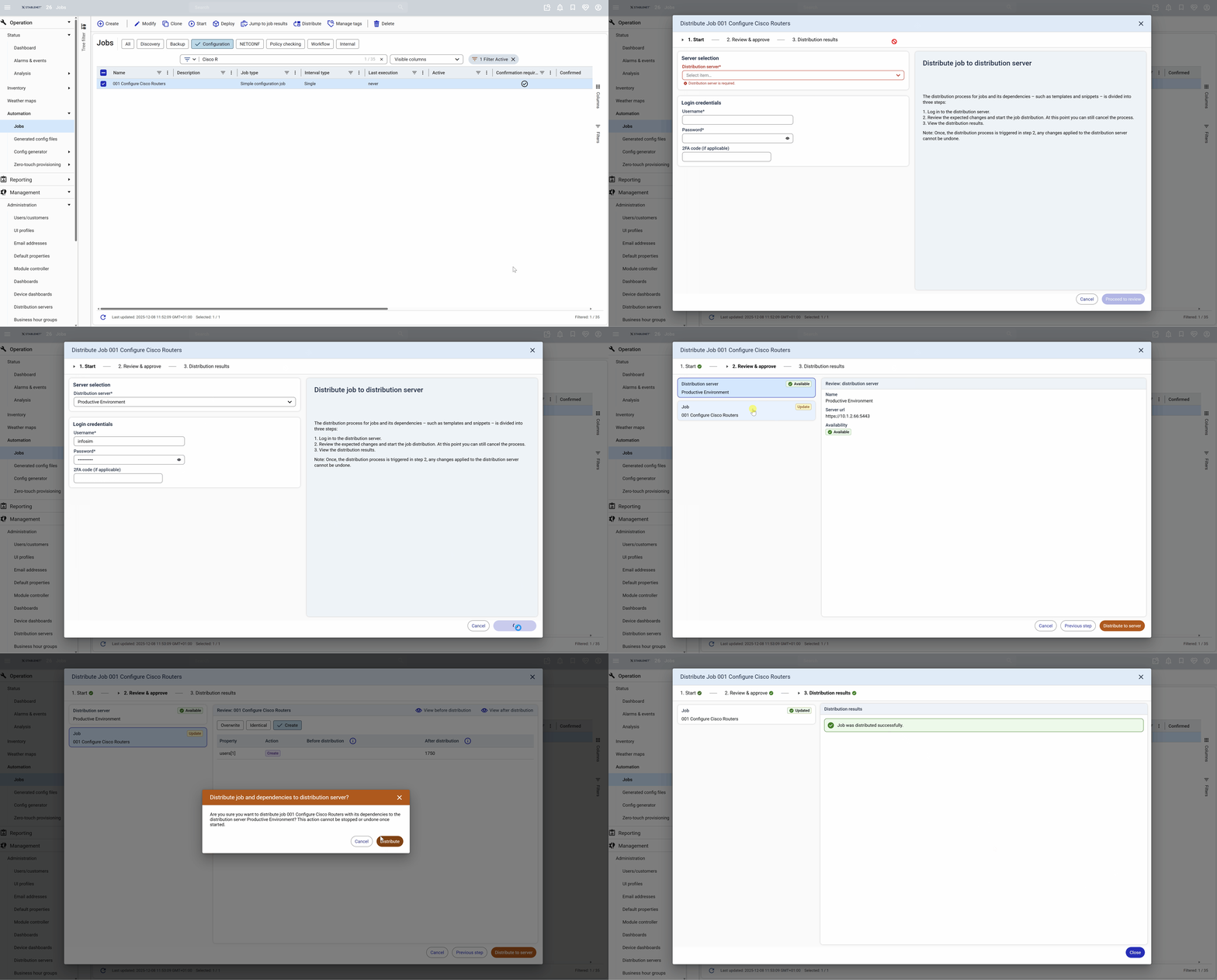
The Distribution Server is a new StableNet® feature that manages syncing data between servers. It makes it easy to transfer Config Jobs from one system to another, including all related configurations such as Snippets, Templates, Tags, Tag Filters, and User Groups (when used in the job).
This addition ensures operational consistency and simplifies multi-site setups, for example when moving Config Jobs from test to live systems.
Measurement Test Dialog and Live View
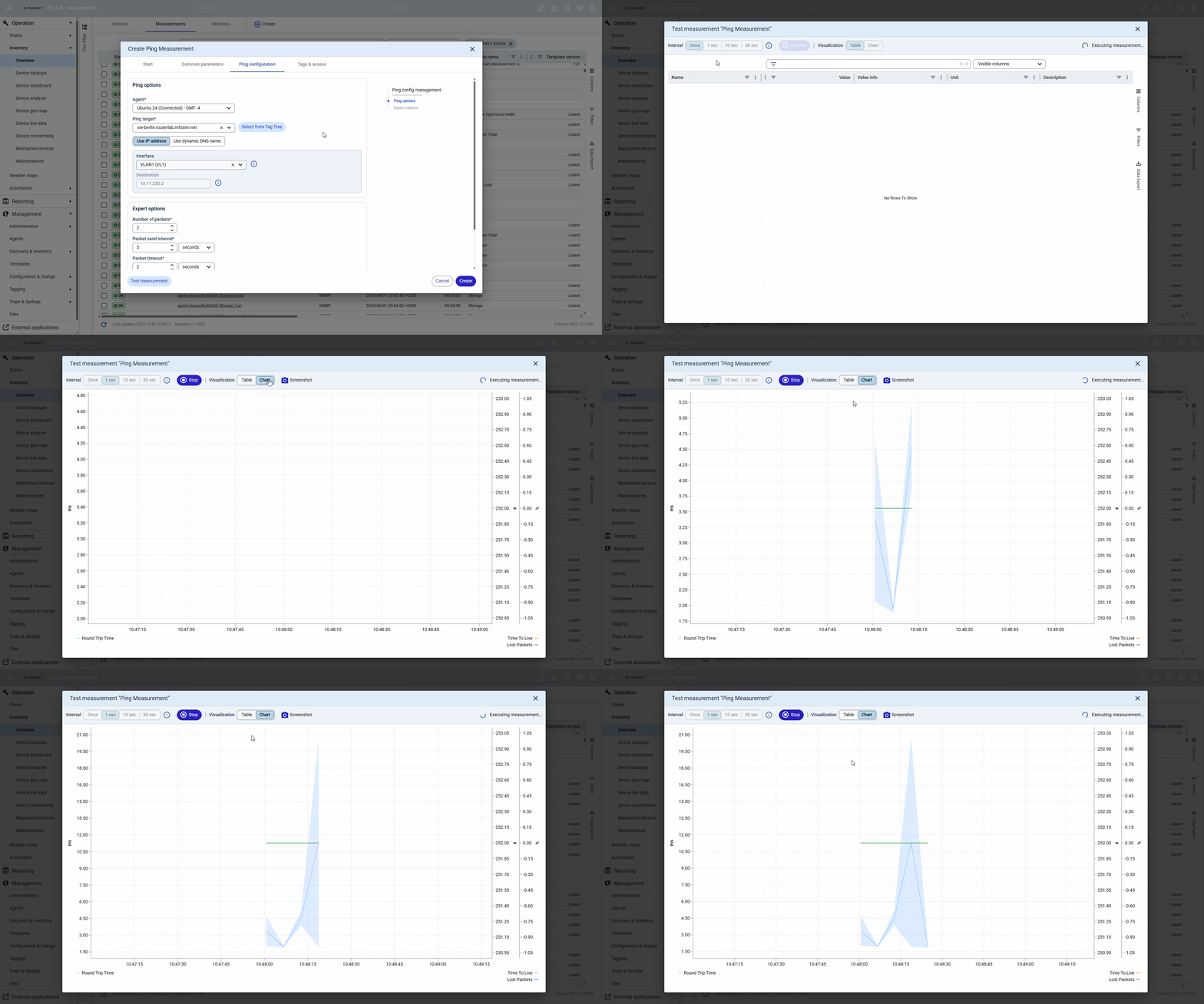
StableNet® now lets you view live measurement data and test new or updated measurements on demand. This enables quick troubleshooting and immediate insight.
2. Module Enhancements
Guided by continuous customer feedback, StableNet® keeps evolving to better match real-world needs and expectations. This release further strengthens usability and overall user experience through consistent, targeted improvements.
Analyzer & Group Analyzer UI Rework
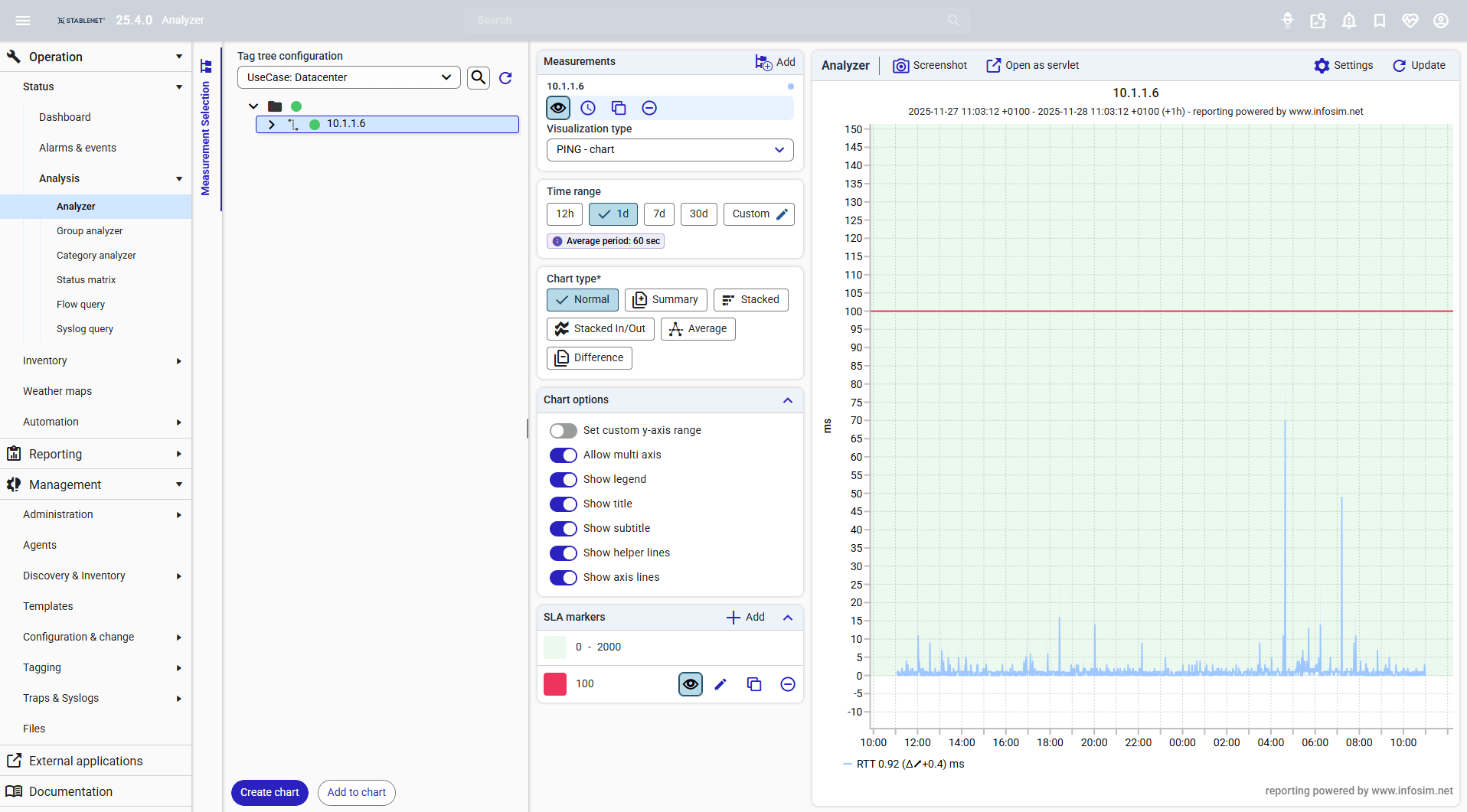
The Analyzer and Group Analyzer interfaces have been fully redesigned with a modern UI and streamlined workflow to make analysis simpler and more intuitive. A consistent layout and interaction concept now aligns Analyzer views with report component wizards, creating a familiar and unified user experience.
The rework reduces cognitive load through progressive disclosure, hiding irrelevant elements based on context, minimizing complexity and placing related actions and settings close together.
Additional enhancements such as new time range settings and improved system feedback, including live previews and visual cues, further improve usability and overall user experience.
Report Job Wizard
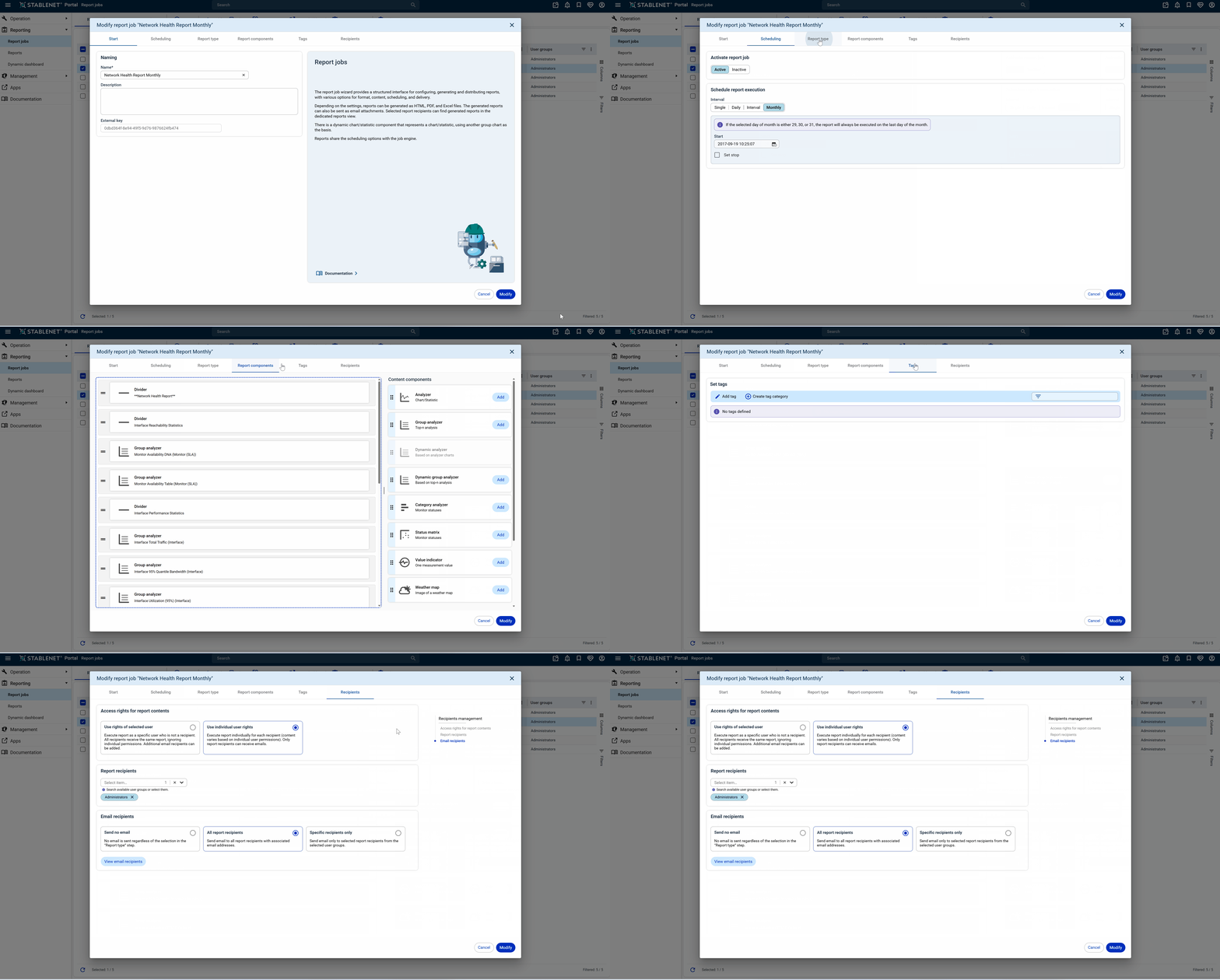
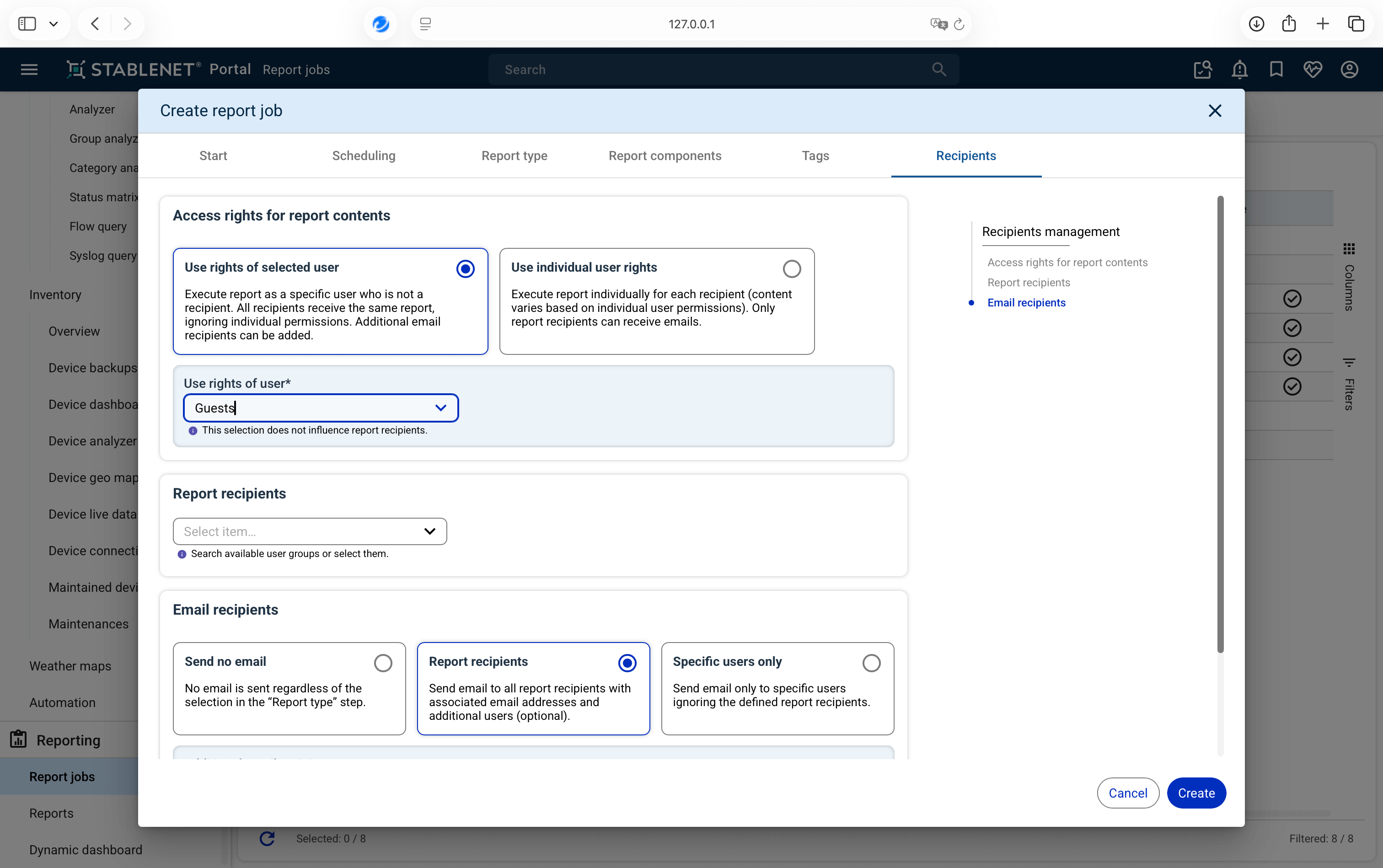
Report Jobs can now be edited, selected and exported seamlessly and powerfully directly in the StableNet® Portal, with full Rich Client functionality included and further enhanced.
The improved interface reduces cognitive load and increases ease of use through progressive disclosure, reduced complexity and clear spatial grouping of related actions and settings.
Additional enhancements include easy drag-and-drop report creation, new time range settings, live previews and improved recipient configuration, enabling faster, clearer and more efficient report management.
Dashboard Management
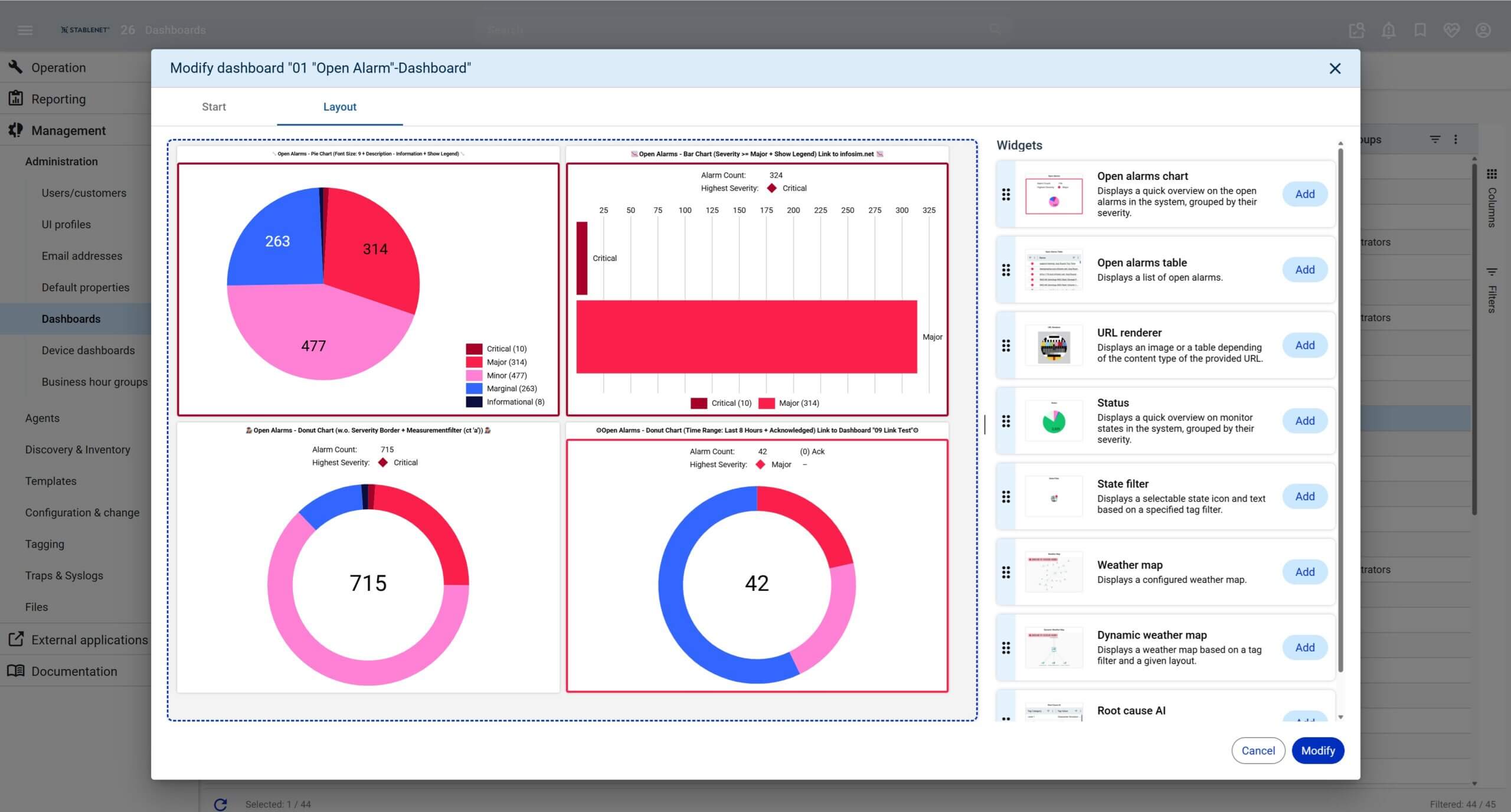
StableNet®’s Dashboard Management is now fully available and heavily improved in the StableNet® Portal, bringing all the functionality previously in the Rich Client into a modern, intuitive interface.
Dashboards can be created, modified, cloned, or deleted, with search and filter options to quickly find existing dashboards. Exporting and importing dashboards is fully supported.
StableNet® 26 introduces major usability improvements: live previews, drag-and-drop editing, and enhanced URL renderer widgets make it easier than ever to incorporate values from the Analyzer or Group Analyzer, creating a smoother, more efficient dashboard experience.
Improved Self-Monitoring
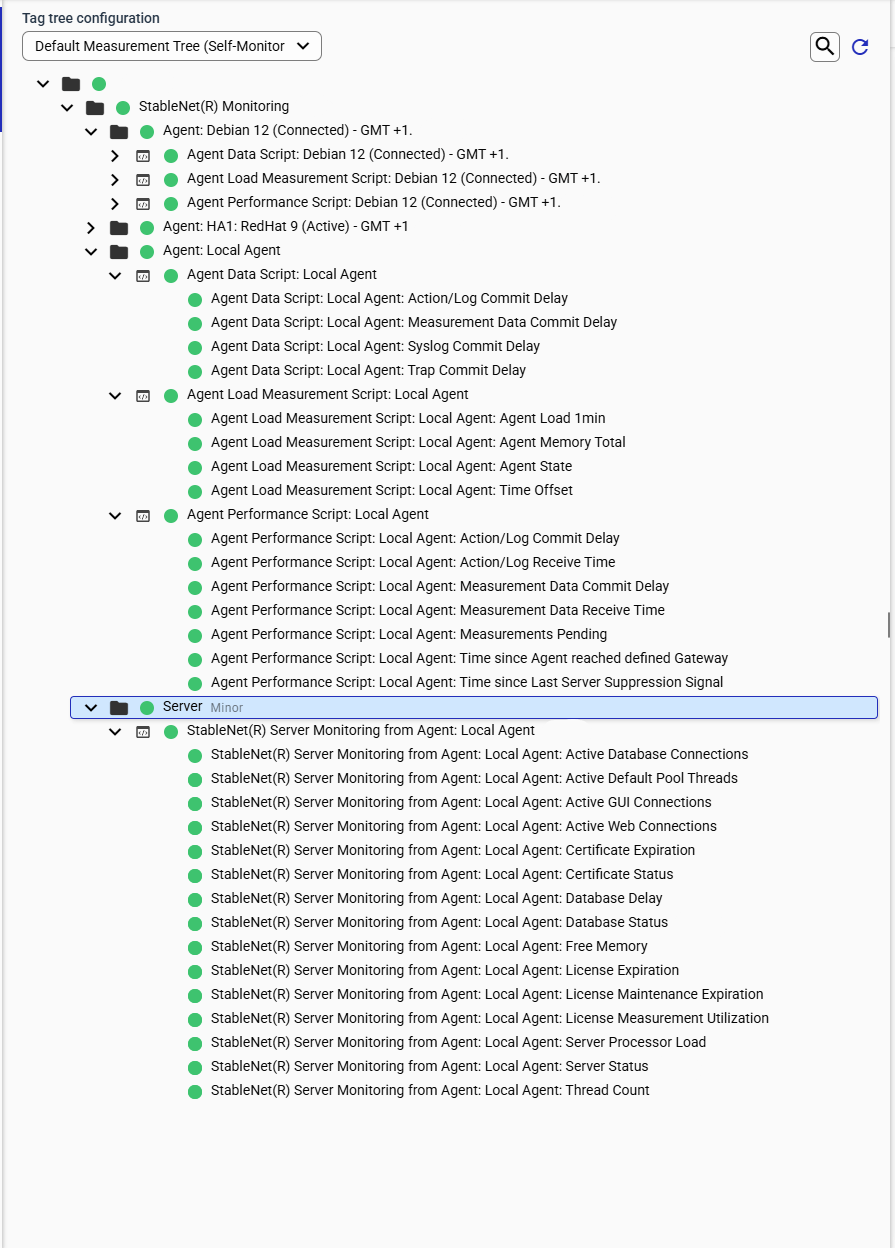
StableNet® now provides improved self-monitoring with detailed reports on job and report execution times and schedules, including Gantt-style diagrams and runtime statistics. Measurement data imports are also fully reported, showing the load caused by different parts of the import process.
Enhanced monitoring helps detect issues with database latency and transaction performance more effectively. All self-monitoring is automatically set up and kept up to date by StableNet®, including specific monitoring accounts.
This helps administrators understand server load, job duration, and what the StableNet® Server is doing at any given time.
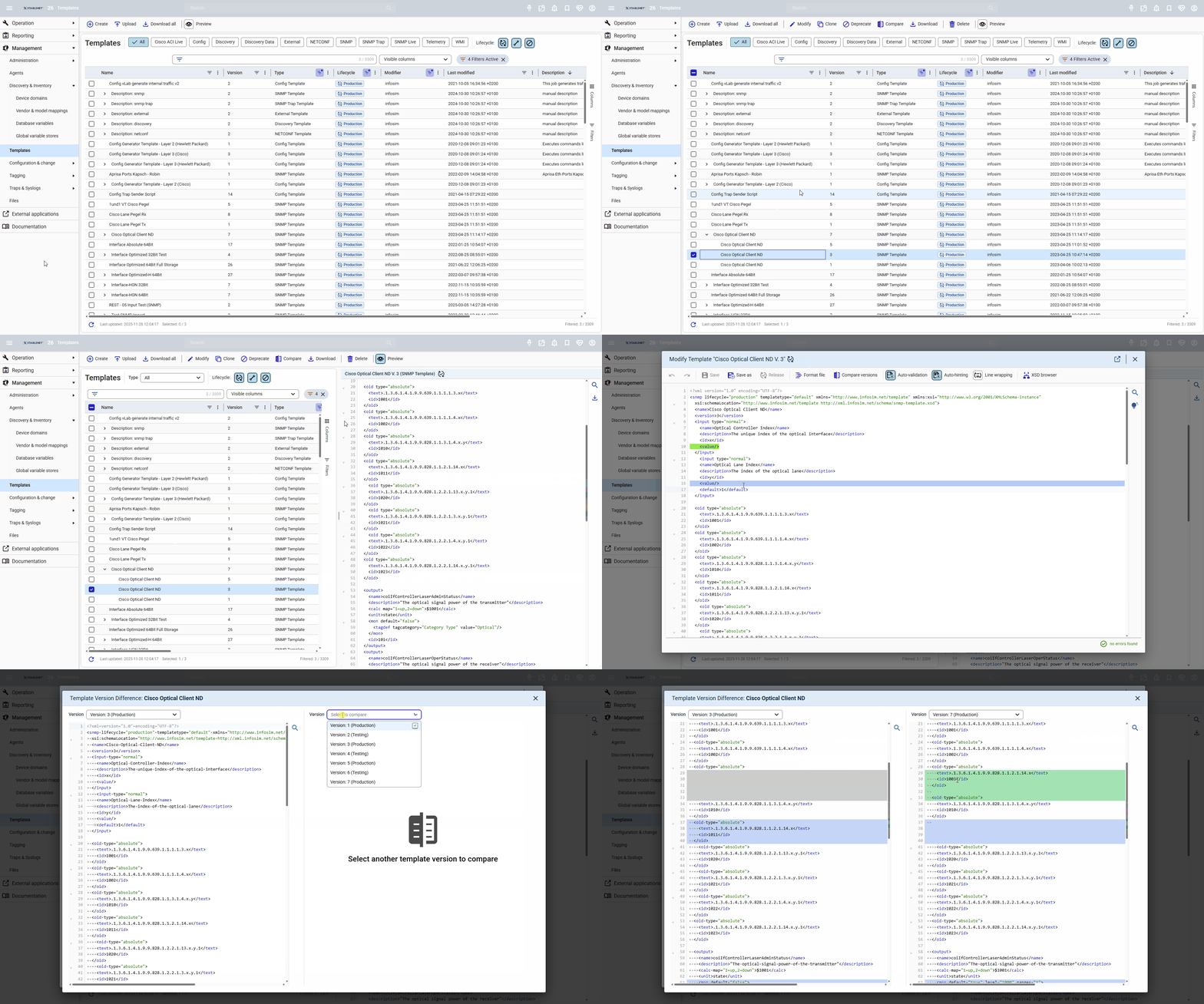
Merged Template Management & Editor
The widely used Template Editor is now fully integrated into Template Management, bringing all functions together in a single, unified view. Now containing the best of both worlds, it has been merged, eliminating duplicate functionality and creating a clearer, more intuitive workflow.
All template tasks can now be handled in one place, making template creation, management and editing easier to understand, more efficient and significantly more user-friendly.
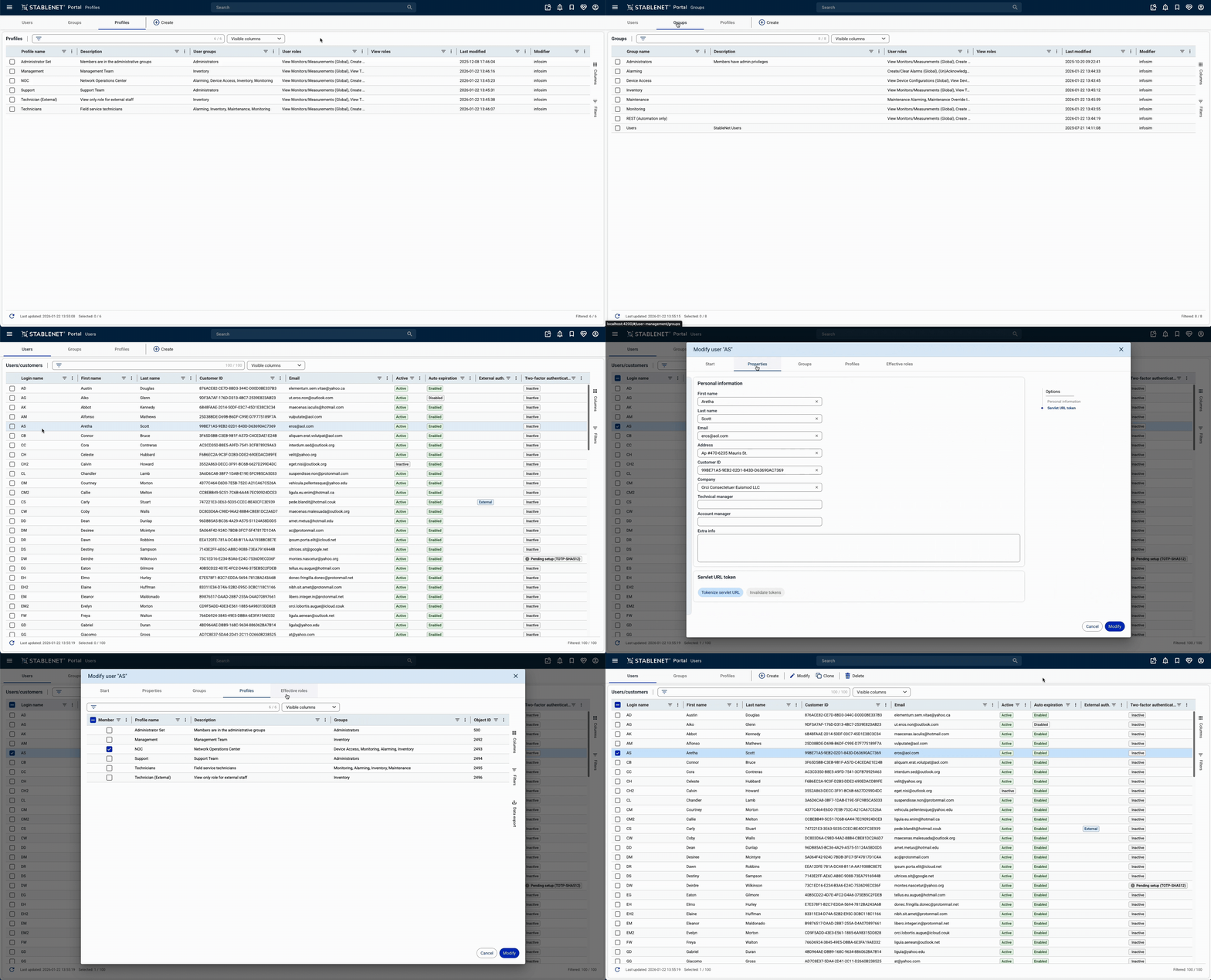
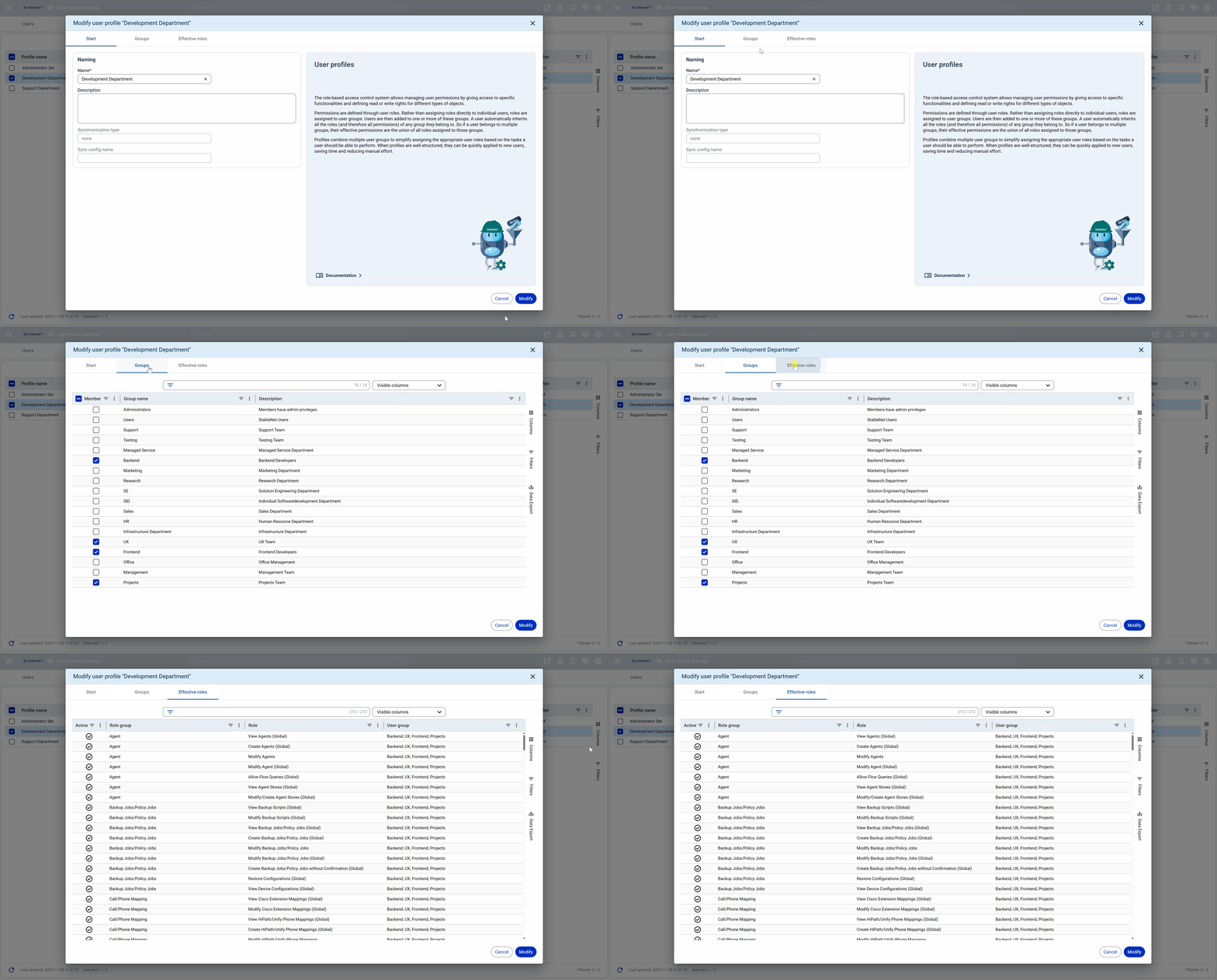
User/Groups/Profiles Management Rework
The User Management view in StableNet® has been redesigned for a modern, consistent look and feel. The interface is now aligned with other views, creating a more intuitive and cohesive user experience.
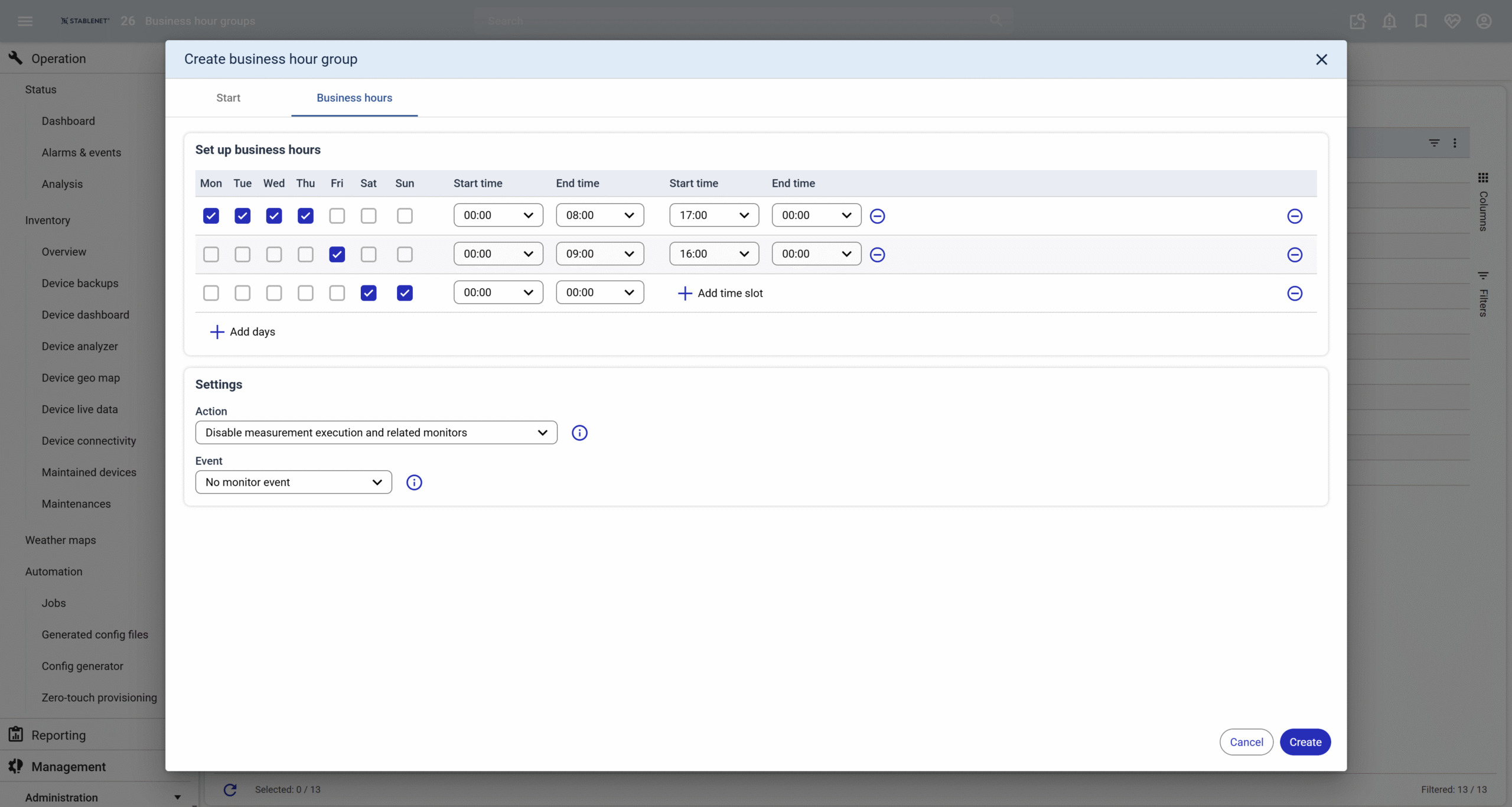
Business Hour Group Management
Business Hour Groups define recurring weekly operation times. These groups control how measurements and monitors behave at specific times, allowing activation and deactivation based on schedules.
For example, higher CPU load during business hours can be tolerated, while the same load outside these hours can trigger an alert.
The functionality is now seamlessly integrated into the StableNet® Portal, offering optimized capabilities as well as a cleaner, more user-friendly interface.
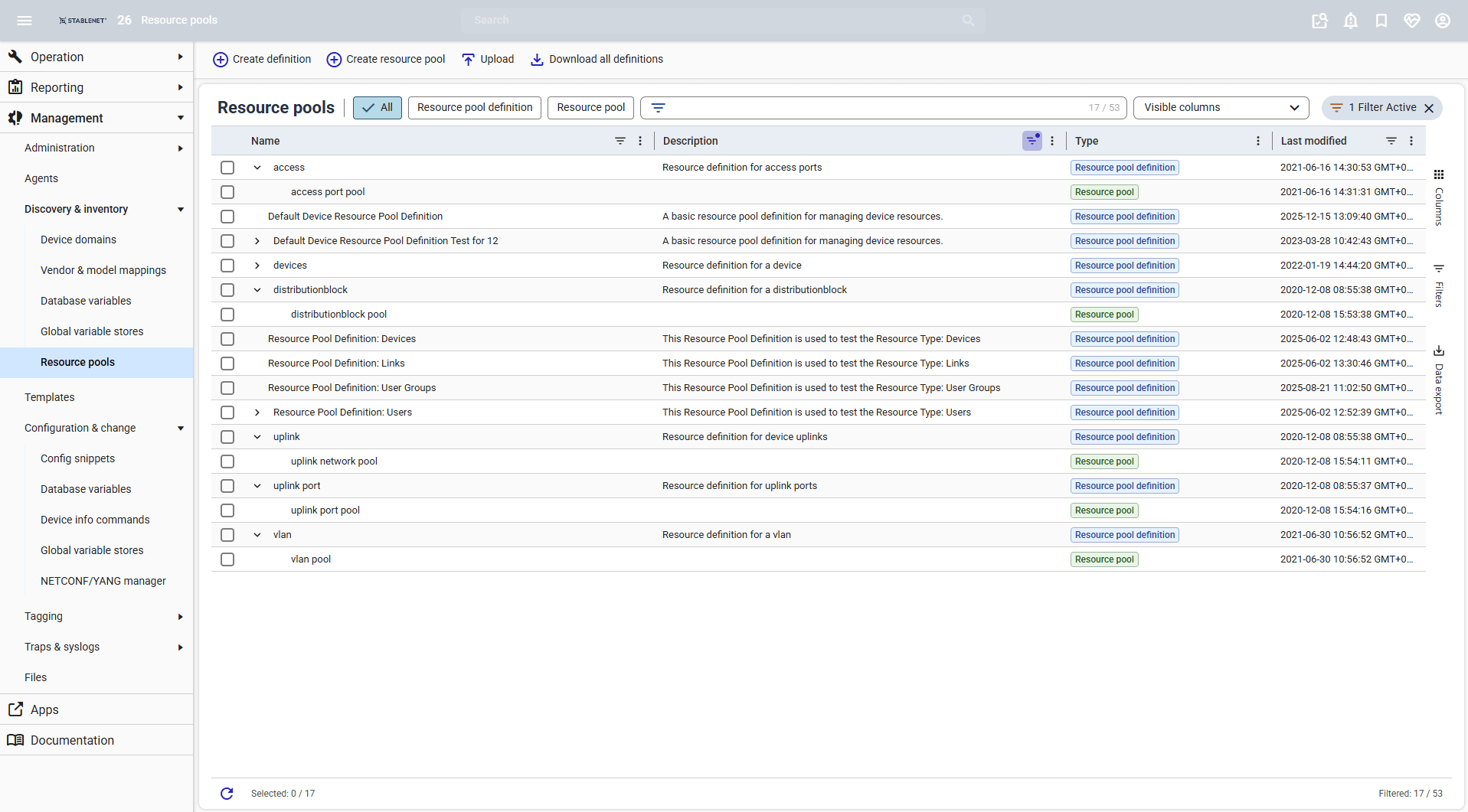
Resource Pools Management
StableNet® now provides centralized management of Resource Pools and Resource Pool Definitions in a single view. Resource Pools represent logical groupings of shared resources such as people, servers, storage, or software licenses that can be dynamically allocated across projects or tasks. Definitions can be easily created or modified, including the assignment of tags and user groups for precise control and organization.
Resource Pool tables are now much easier to work with, offering Excel-like interactions such as drag-to-fill logic, automatic value increments, copy-and-paste support, and auto-suggest features.
Further Enhancements
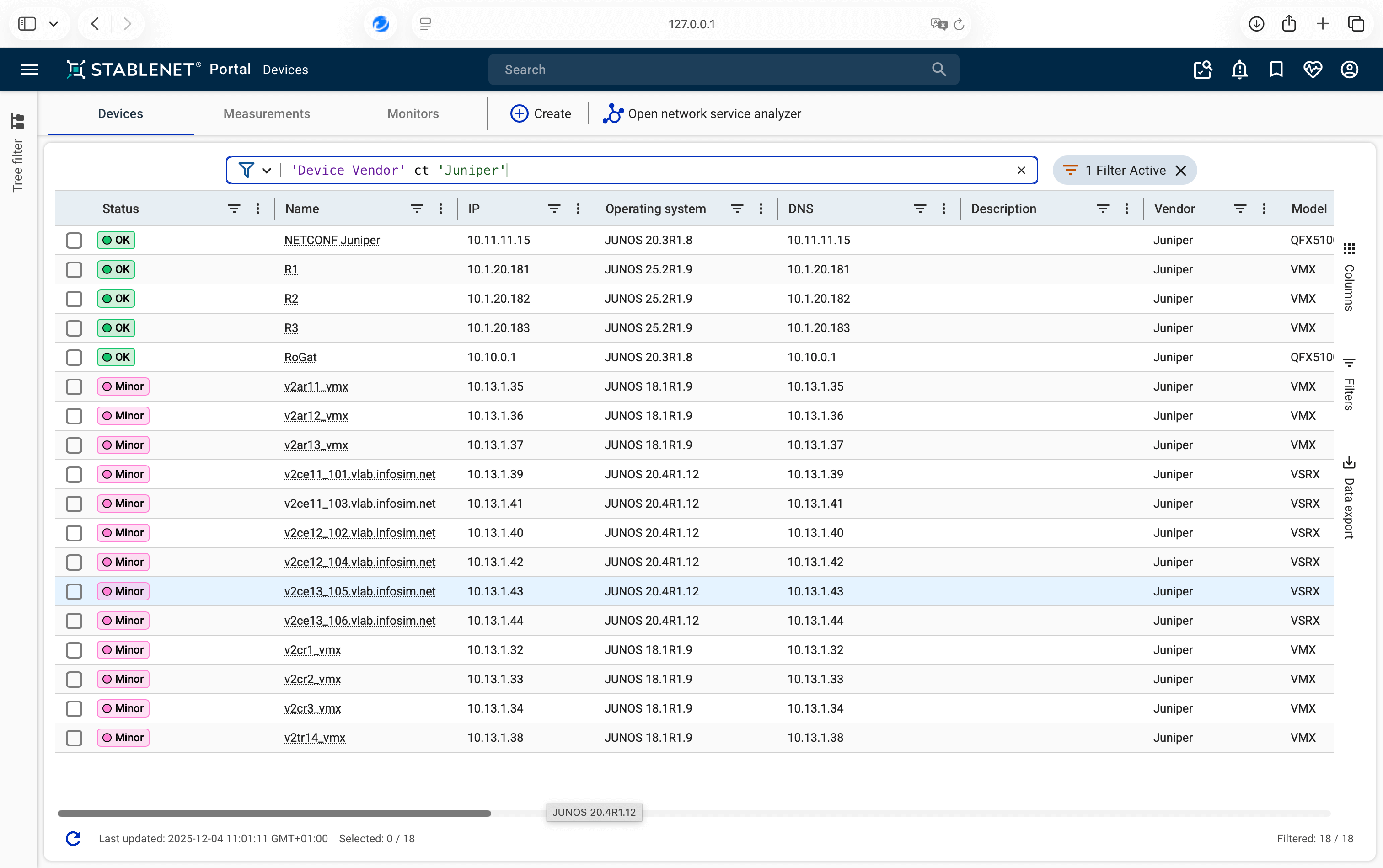
- TFQL support in tables
- Updated badges
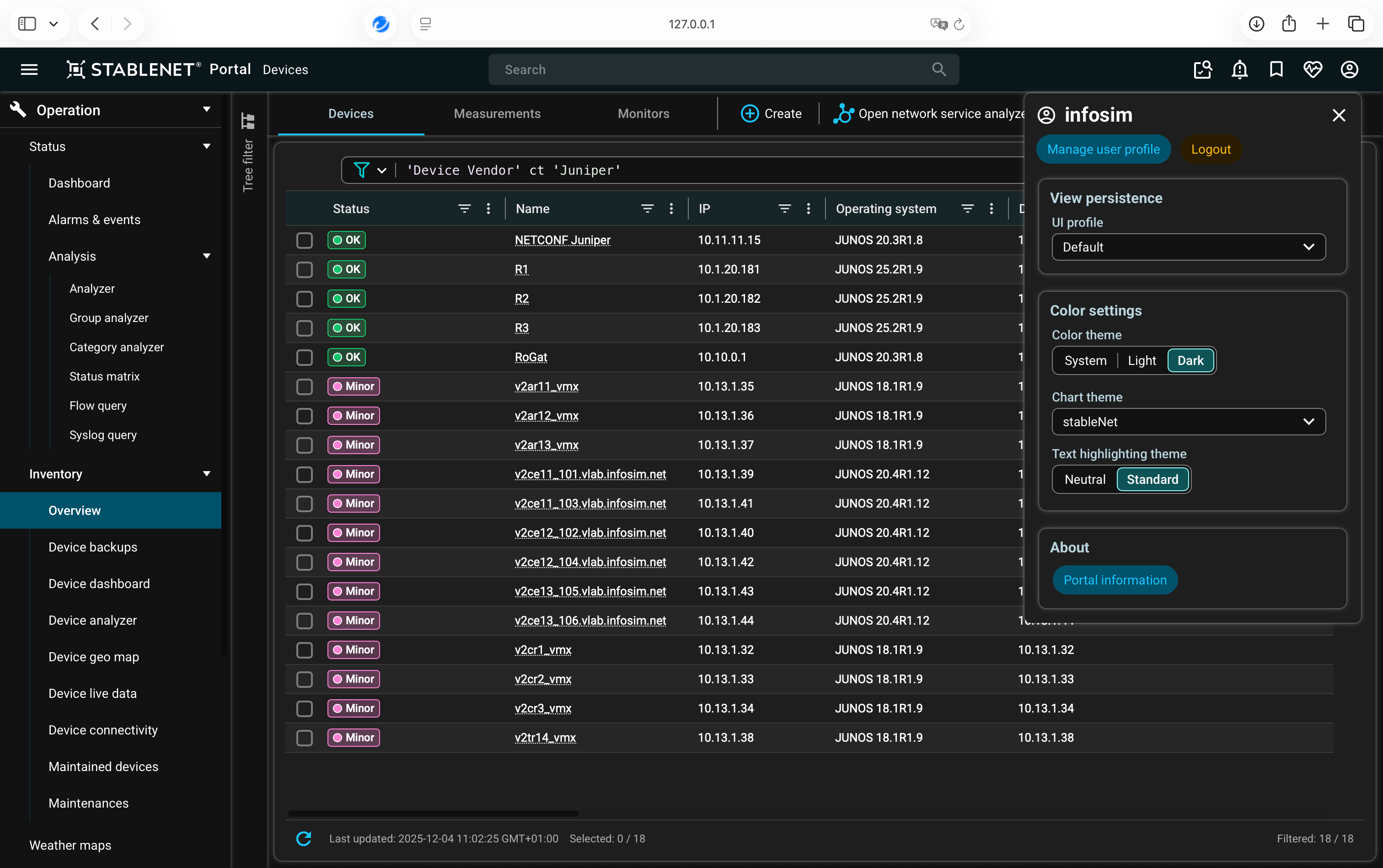
- Refreshed dark mode colors
- New UI input components
- Improved UI of Tag Management
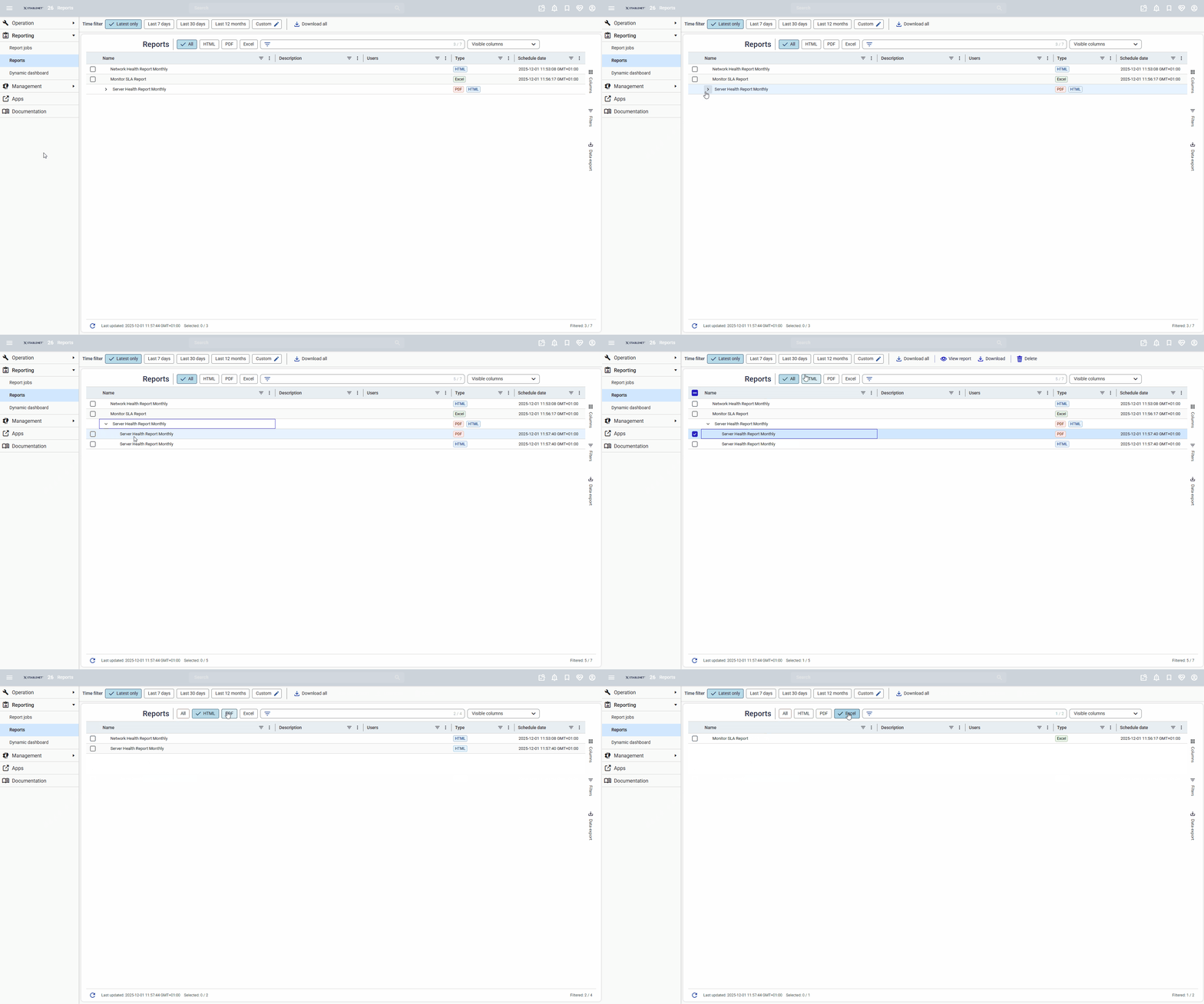
- General Reports View Update
- Shortest Path Improvements
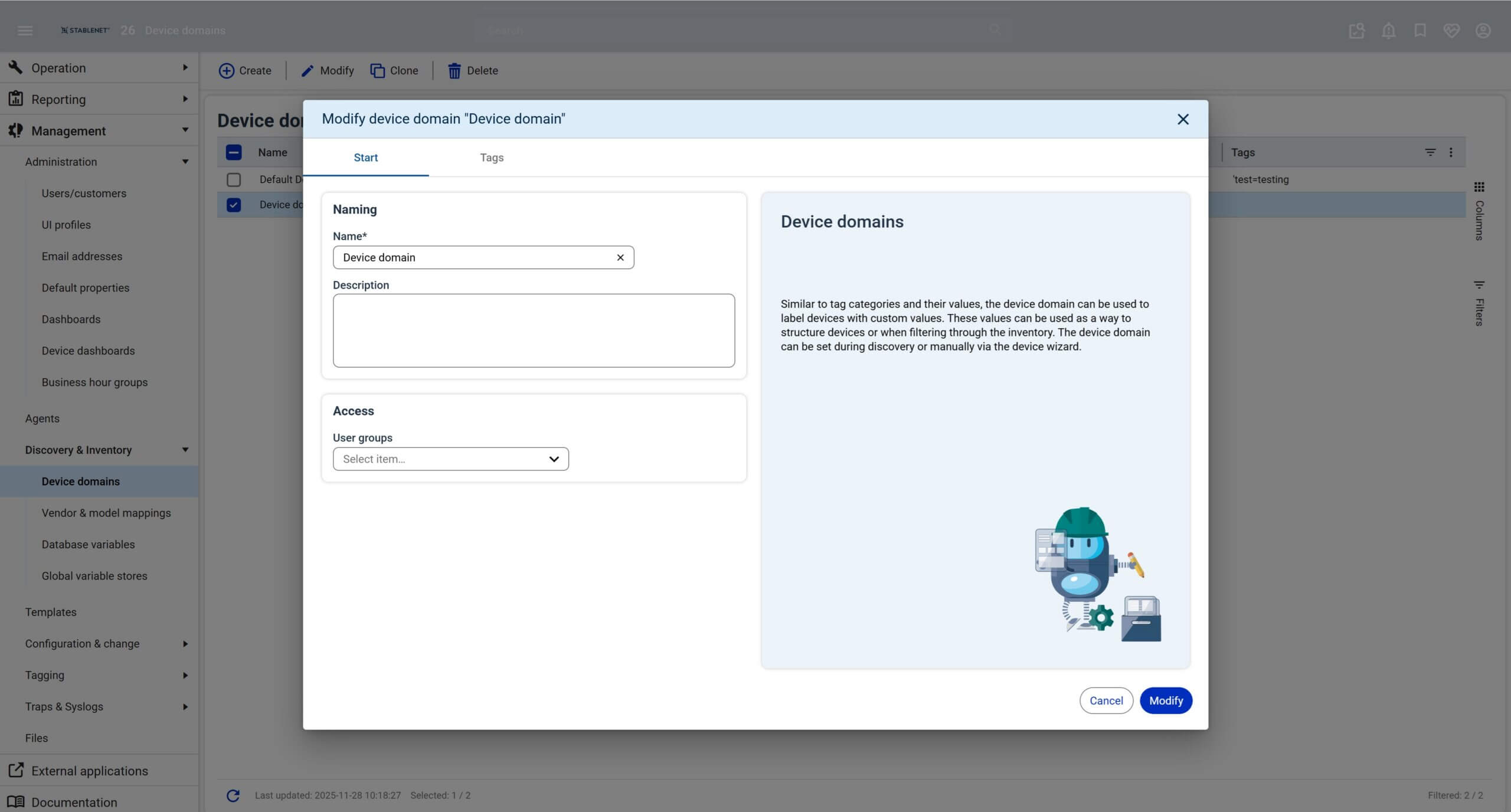
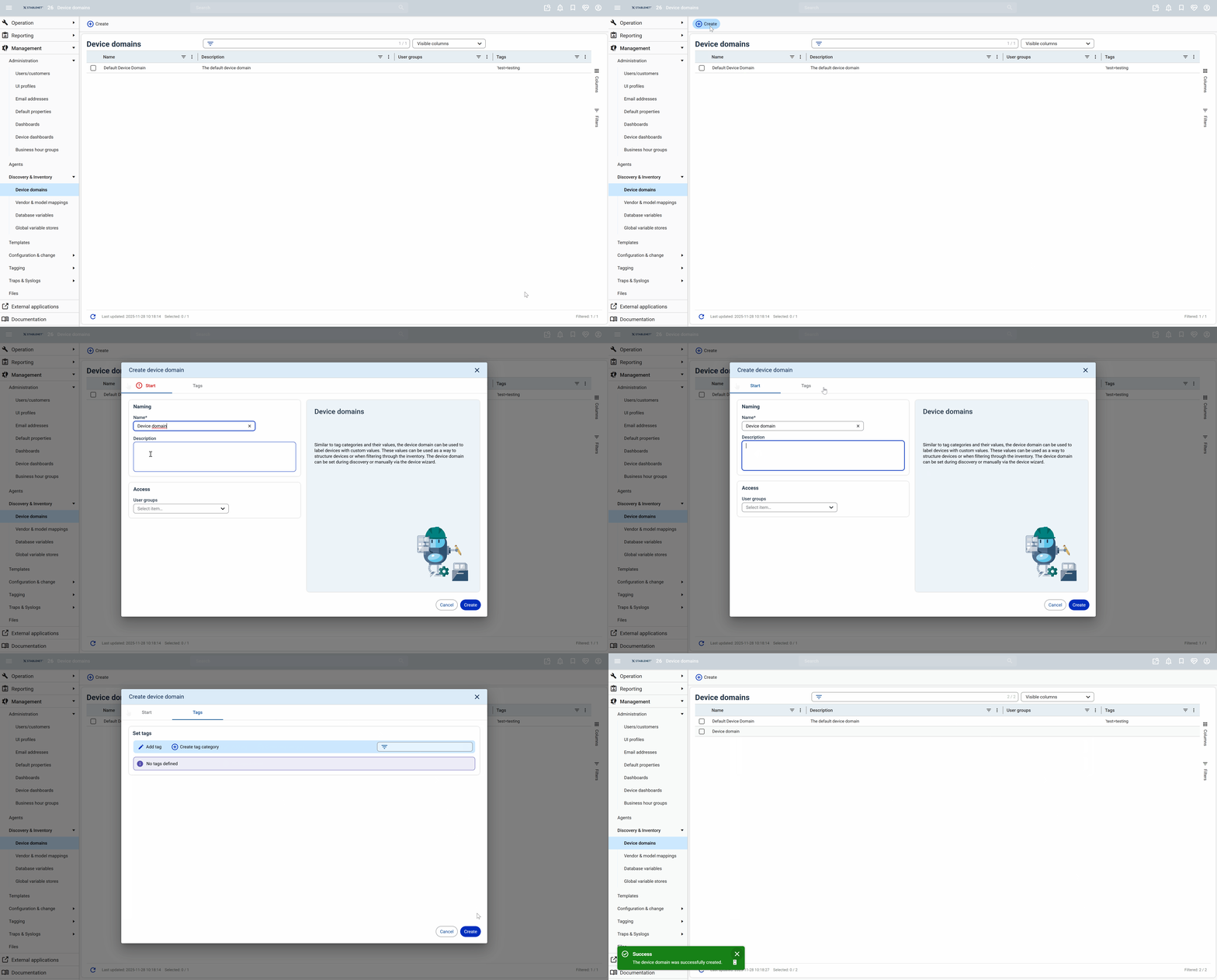
- Device Domain Management
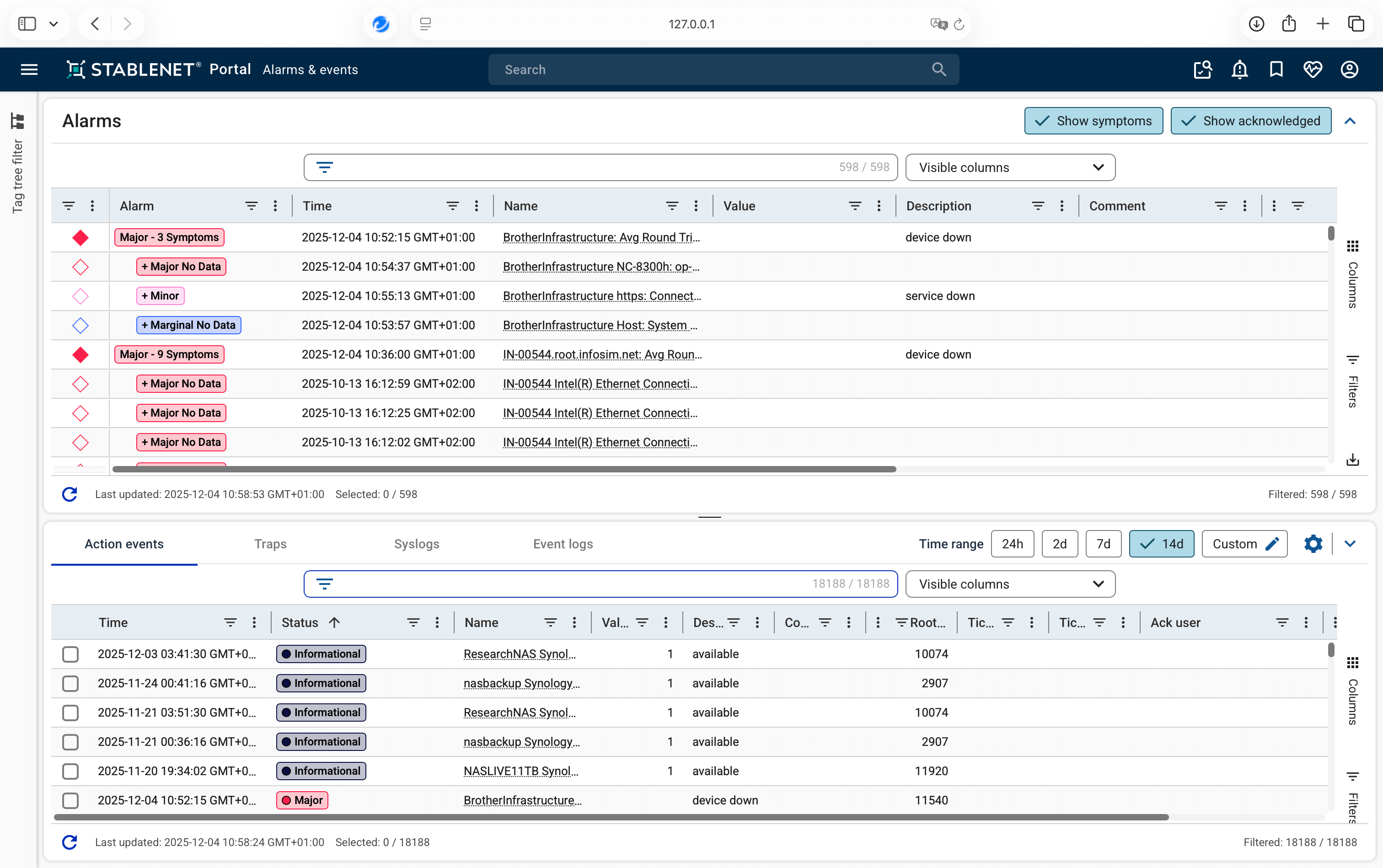
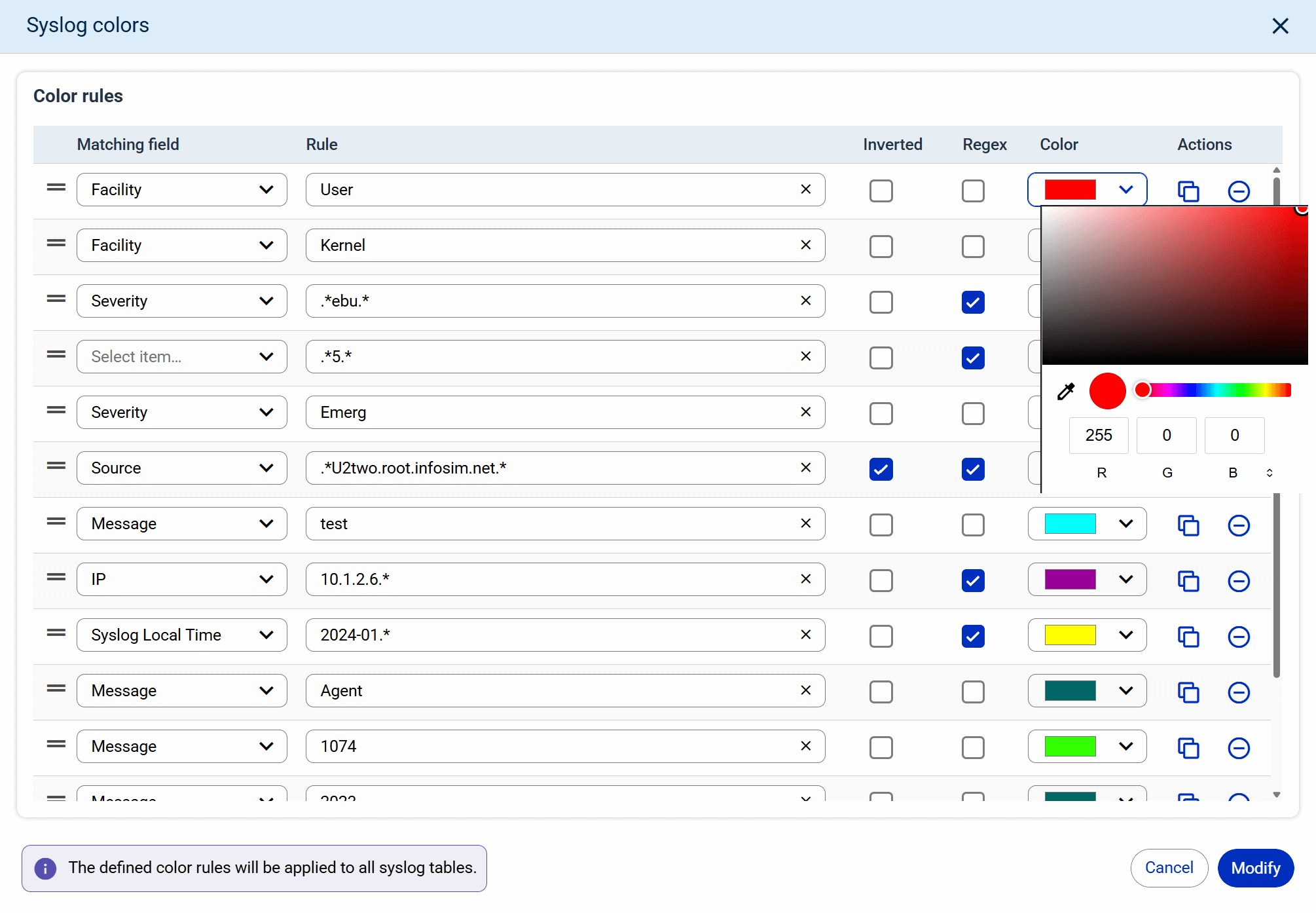
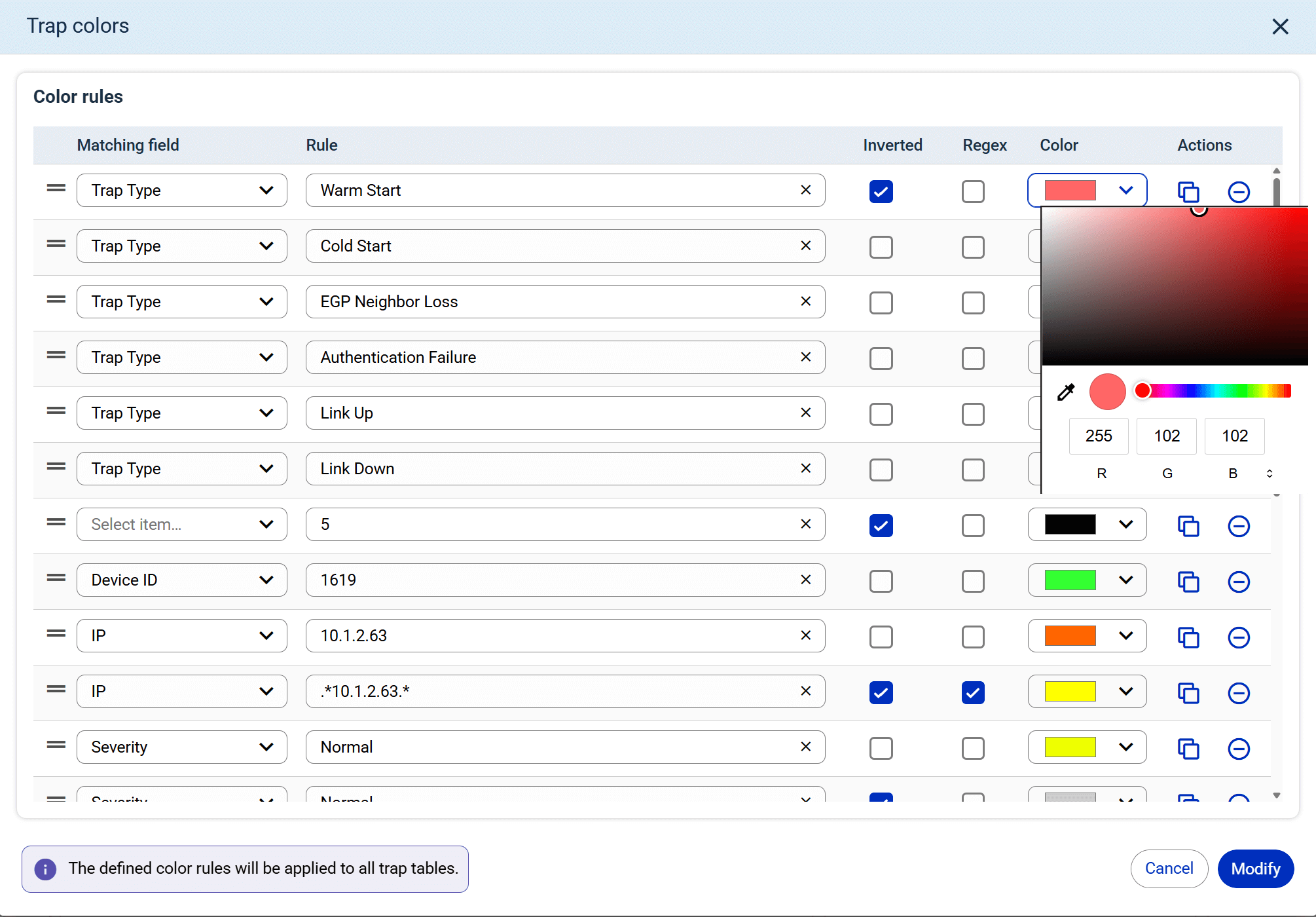
- Trap & Syslog Color Management
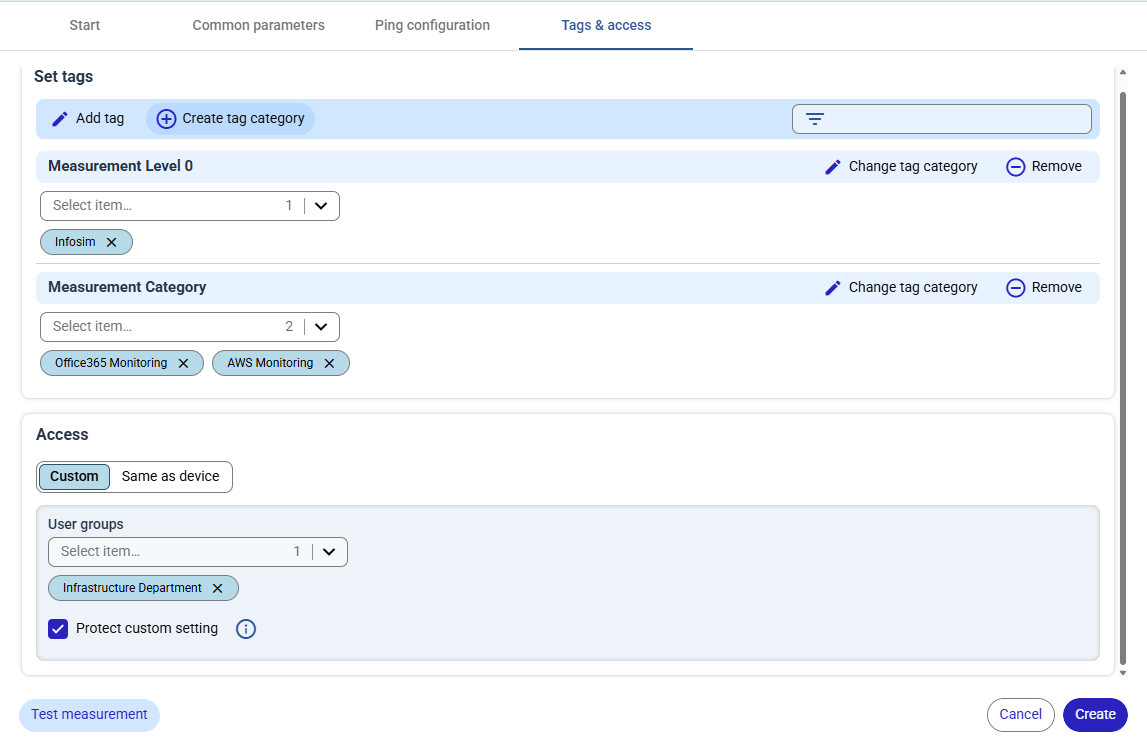
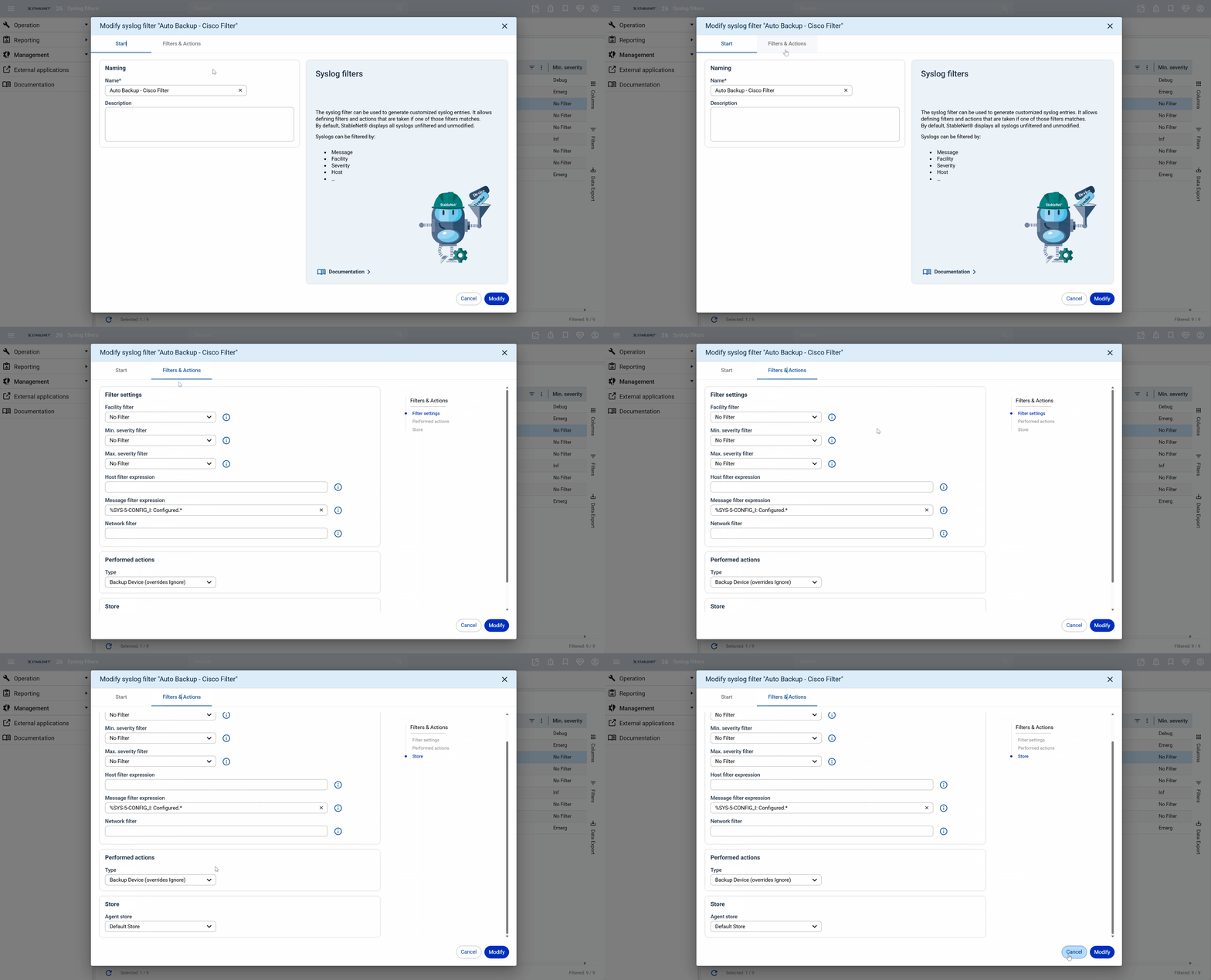
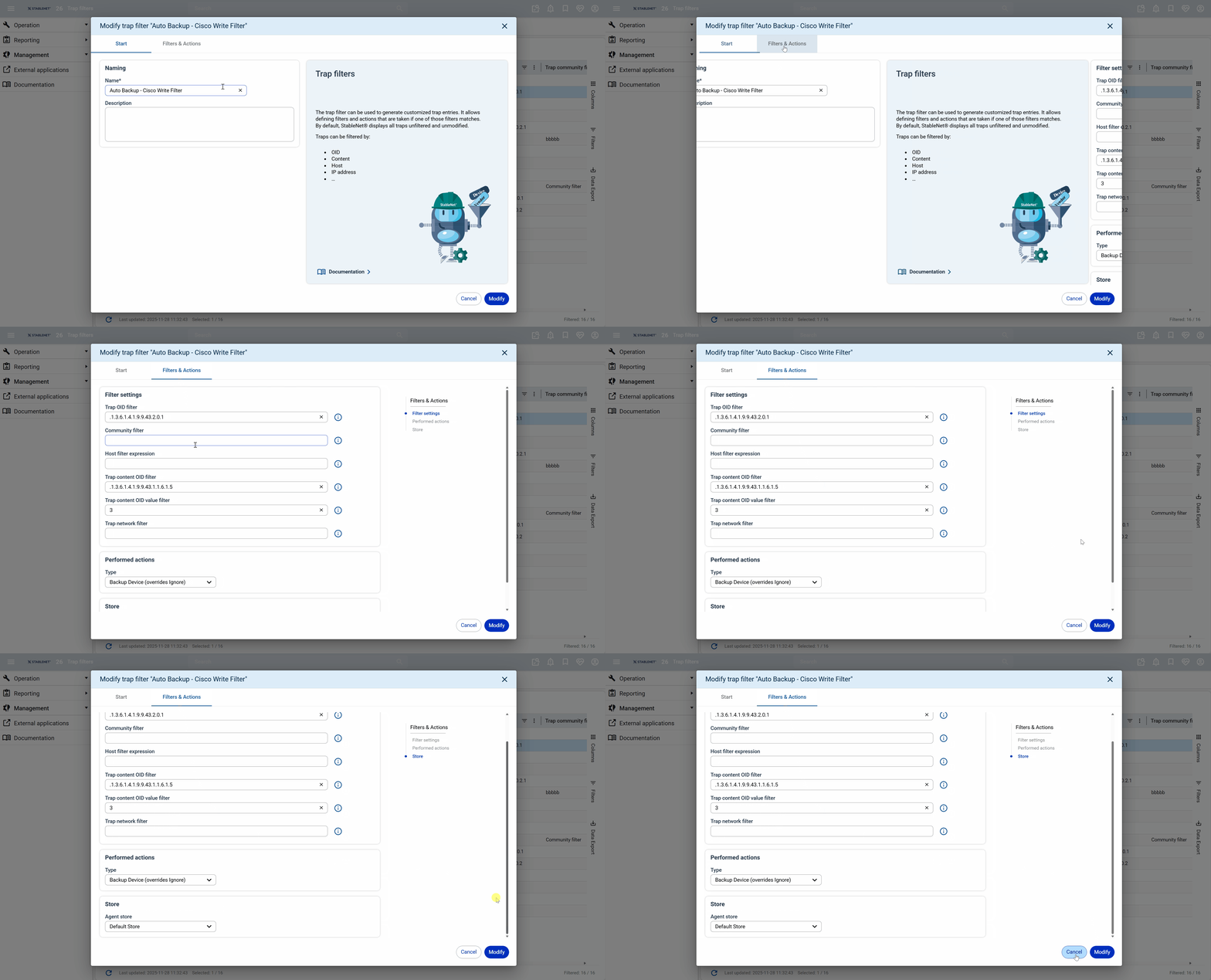
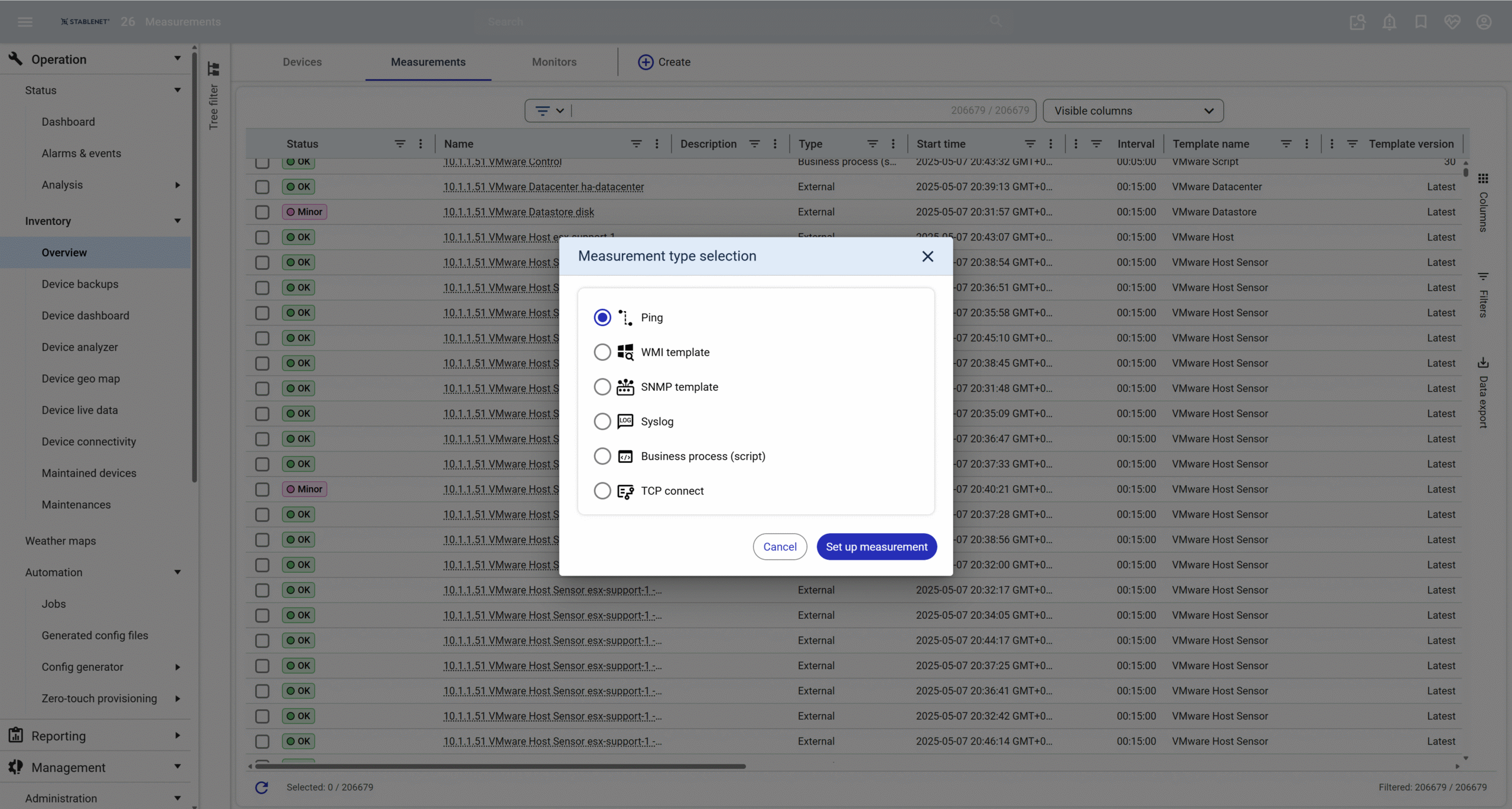
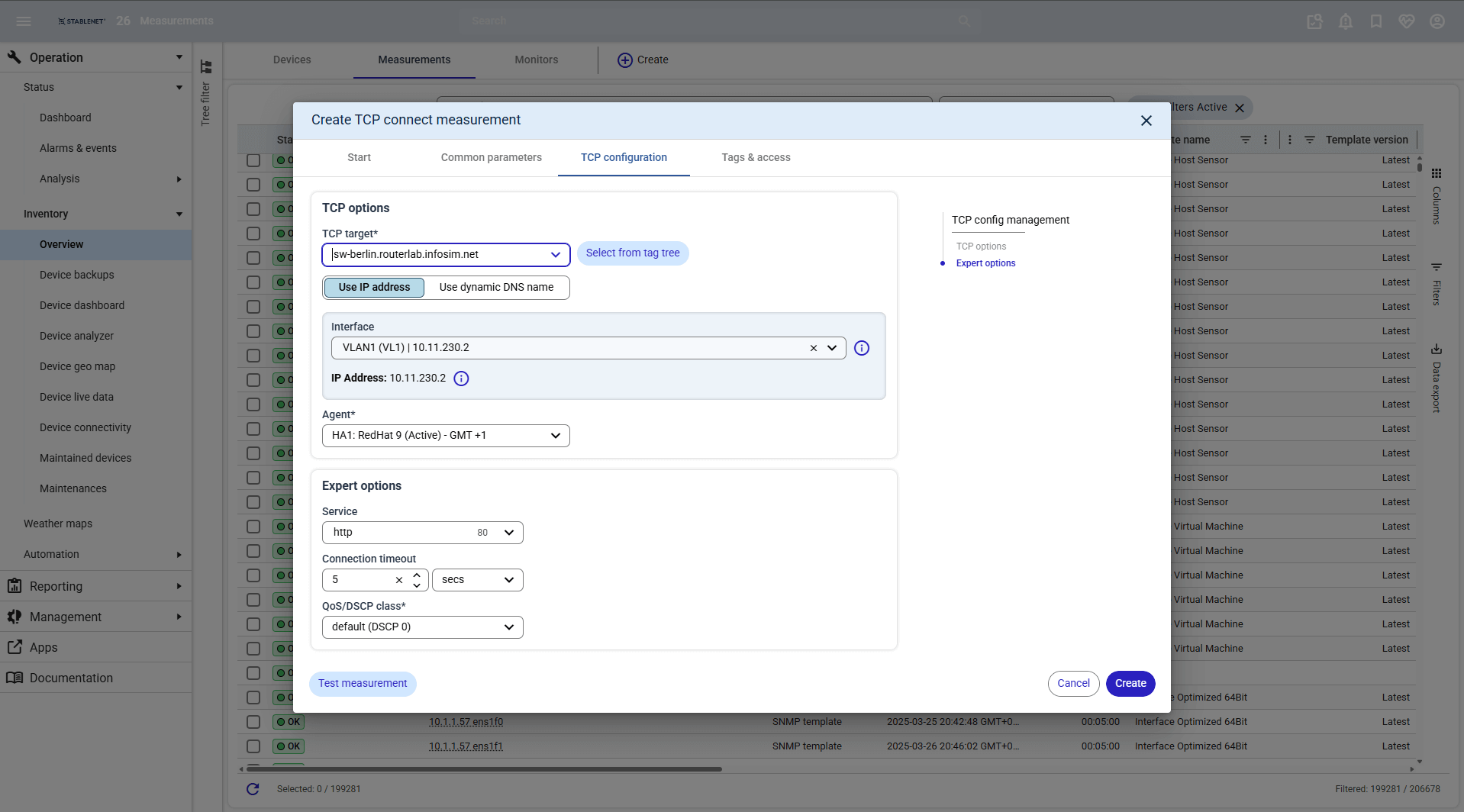
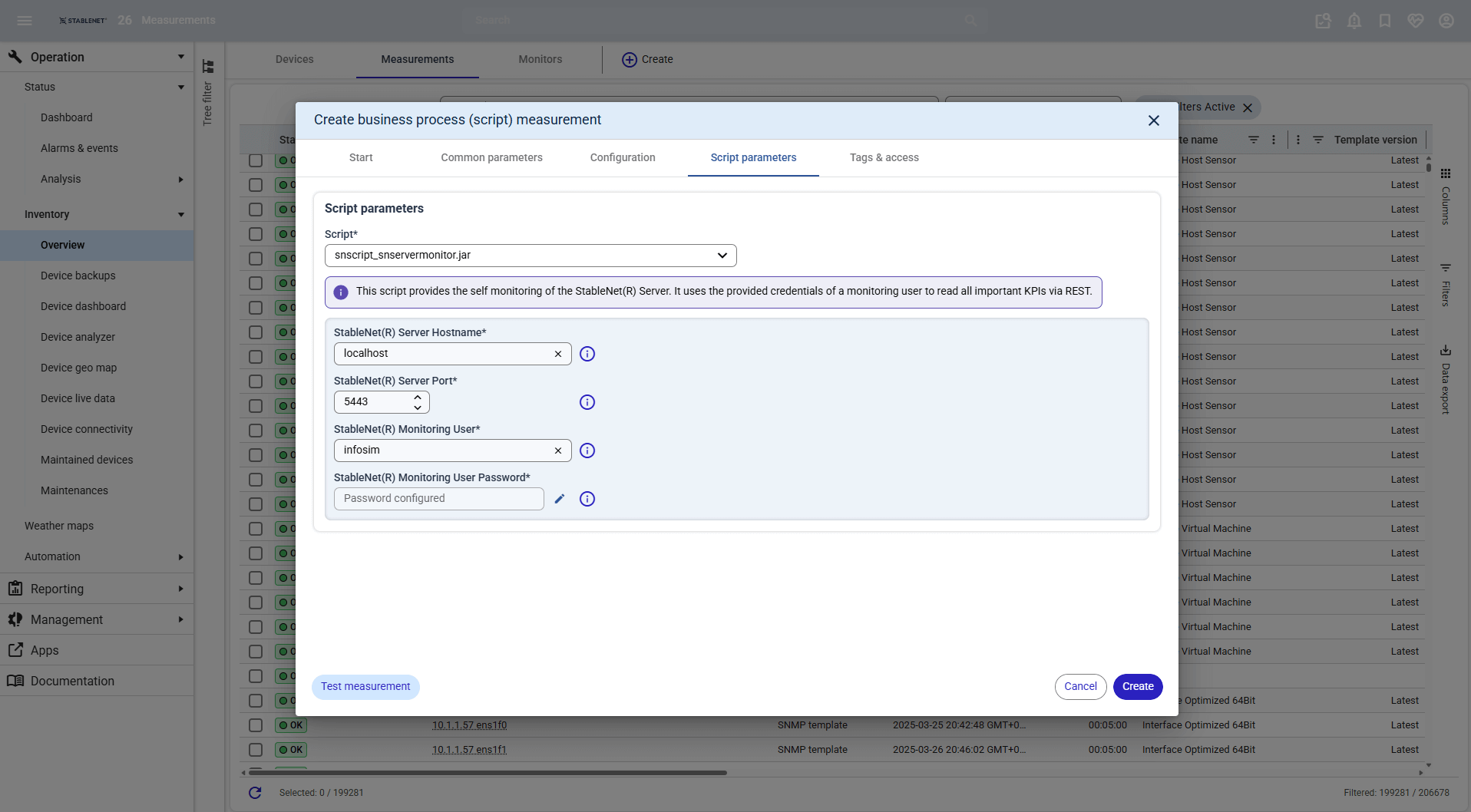
- More Measurement Wizards
3. System architecture
Multiple Database Support incl. Time-Series Database
StableNet® now supports an unlimited number of additional databases, including the powerful time-series database TimescaleDB. Mixed database environments can be deployed effortlessly and expanded at any time, delivering maximum flexibility, scalability and performance.
By leveraging TimescaleDB for time-based measurement data, StableNet® dramatically boosts efficiency with faster queries, high-speed data ingestion and up to 90% reduced storage requirements, ensuring optimal performance even in large-scale monitoring environments.
Security & Compliance
As regulatory demands around cybersecurity tighten – driven by evolving frameworks such as NIS2 and other international standards – StableNet® continuously evolves to help you meet these expectations.
With that in mind, we’ve further enhanced StableNet®’s security and software supply-chain integrity:
- All StableNet® modules for the Module Controller are now digitally signed by Infosim®, ensuring authenticity and integrity.
- Server certificate management has been simplified, allowing easy certificate import via the StableNet® Database Manager.
- Our development and release workflow has been enhanced with improved automated security checks, vulnerability scans, and security inventories within the CI/CD pipelines.
- Agent passwords are now auto-generated and managed by the server, replacing static passwords and strengthening server–agent communication security.
- Unused accounts are now automatically disabled (configurable), enhancing security and supporting compliance environments.
Performance Improvements
With this release, StableNet® delivers noticeable performance and stability enhancements across several core components.
- The commit check for imported data has been redesigned to detect corrupted data more effectively.
- The Group Analyzer now supports parallel database queries, allowing up to 32 simultaneous queries for faster statistics processing and analysis.
- Agent self-monitoring now automatically detects bottlenecks and system resource overloads, providing detailed log entries and new KPIs for improved visibility and performance optimization.
- StableNet® now also supports multiple databases, which further improves query performance and reduces the load on the core database. More information(link).
Updated Platform Components
The StableNet® Server now runs on the latest WildFly Application Server 37.0.1, providing a modern and reliable foundation for the platform.
This upgrade also involved updating numerous dependent libraries to ensure full compatibility and improved performance.
In addition, the latest database drivers have been integrated to support new database versions and to address existing issues.
Database support updates include MariaDB 11.8 (LTS release) and Oracle 21c.
4. StableNet® Innovation Lab
StableNet® Innovation Lab Collaboration Center
Activities 2025
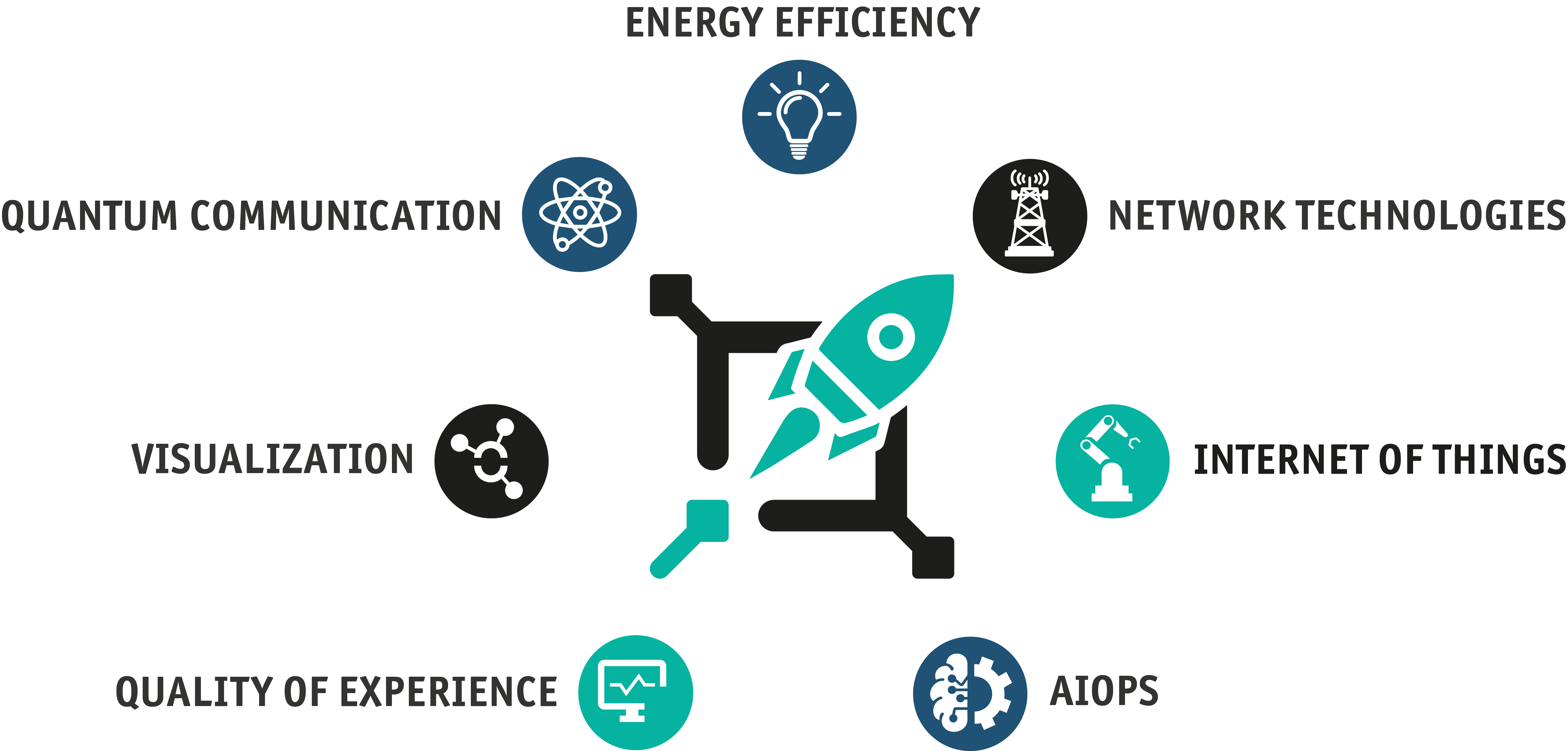
The StableNet® Innovation Lab (SNIL) is bringing together users and partners of StableNet® with our internal team of researchers to explore best practices by integrating the latest research findings with real-world applications that are most relevant.
In 2025, the focus was even more on collaborating with customers and partners on their ideas.
The Customer Pilot Hub
The StableNet® Innovation Lab presents its brand-new “Customer Pilot Hub”, a comprehensive knowledge base that provides insights into current and past research activities and shares the gained experiences. It is designed to enable users to leverage this expertise, apply it, and reflect on their own ideas.

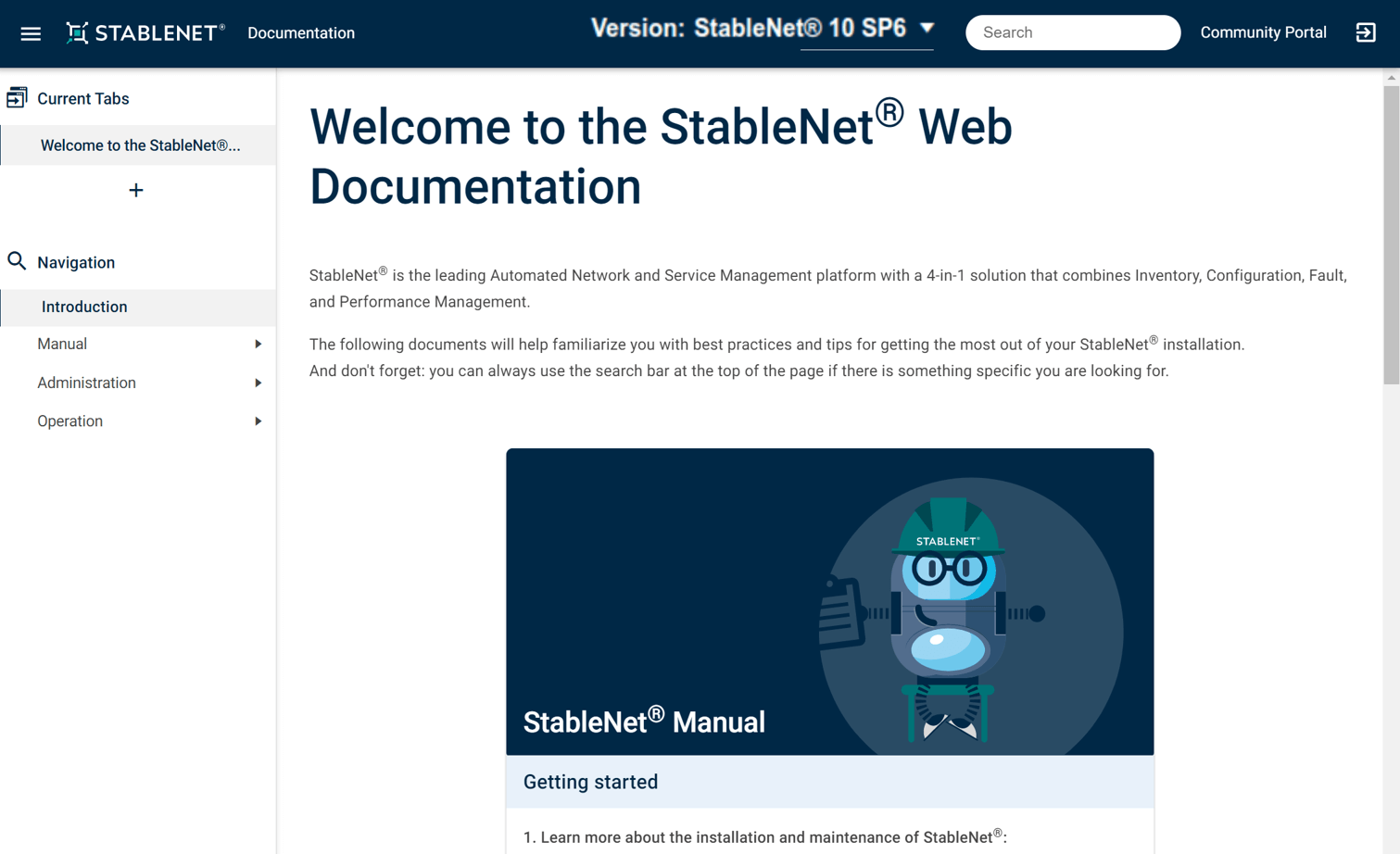
Want to know more about StableNet®? Visit our Documentation Portal!
The StableNet® Documentation Portal includes the documentation of all StableNet® versions (since 10.0.2) and provides global search options to easily find what you are looking for.
It will help familiarize you with best practices and tips for getting the most out of your StableNet® installation.
You can login using your Community Portal account.
Visit the StableNet® Community Portal to download the current release.
If you don’t have an account for our StableNet® Community Portal yet, please request an account.


Software
Made in Germany